Pocket Alert CLI 2.1: levels, exec, watch and an inbox in your terminal
The first Pocket Alert CLI could send a title and a message. That was enough to prove the idea and not much more: no priority levels, no buttons, no scheduling, and nothing for the most common job of all, telling you when a long command finishes.
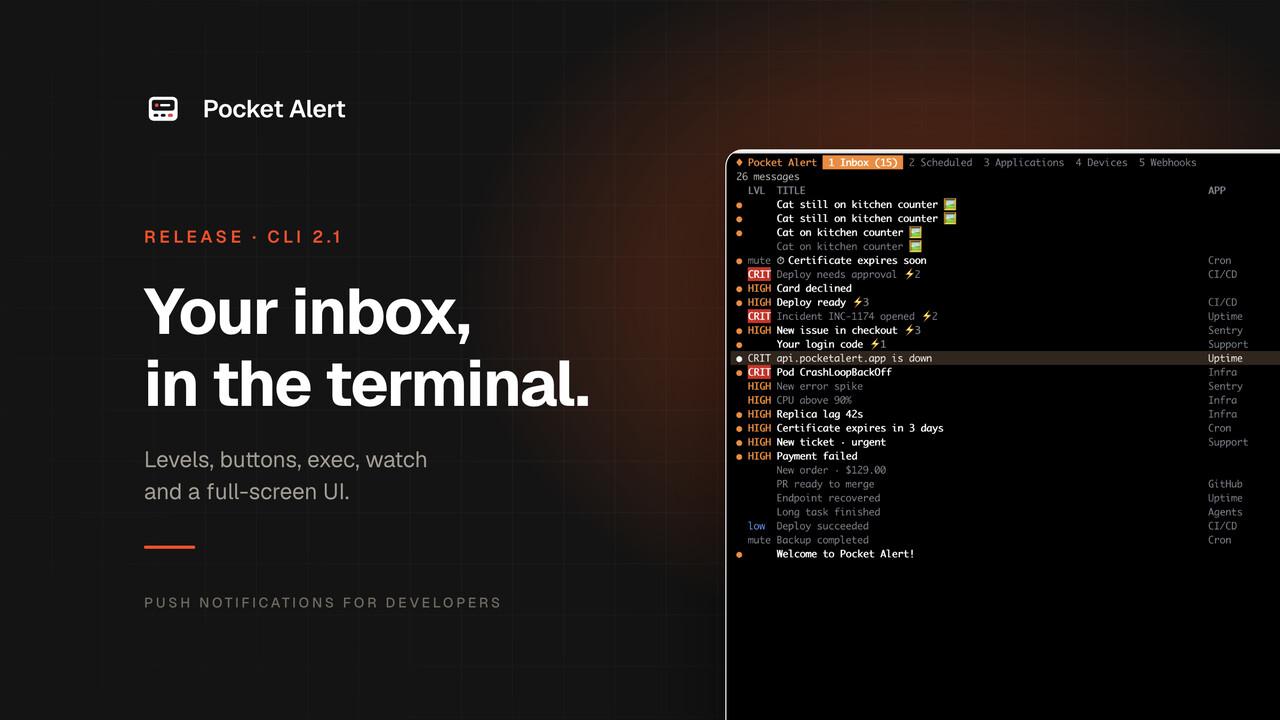
Version 2 is a rewrite. It lives in its own repository under the MIT licence, installs with one command, and covers everything the API can do. Version 2.1, out today, adds pocketalert ui: a full-screen terminal app for your inbox, scheduled messages, applications, devices and webhooks.
Install
macOS and Linux:
curl -fsSL https://raw.githubusercontent.com/PocketAlert/cli/main/install.sh | sh
Homebrew:
brew install pocketalert/tap/pocketalert
Go:
go install github.com/PocketAlert/cli/cmd/pocketalert@latest
Windows: download pocketalert_windows_amd64.zip from the latest release and put pocketalert.exe on your PATH. Every release ships archives for macOS and Linux on Intel and ARM and for Windows on x64, with checksums.
Then sign in once with an API key from API Keys:
pocketalert auth
The key is entered at a hidden prompt, checked against the API, and saved to ~/.pocketalert/config.json with mode 600. In CI, set POCKETALERT_API_KEY instead; it takes precedence over the saved key.
Send, with everything the API offers
The basic form is now two arguments:
pocketalert send "Deploy finished" "v1.4.2 is live"
The message can come from stdin, so command output goes straight to your phone:
df -h | pocketalert send "Disk report"
Everything else is a flag:
- Levels.
-l silent|low|default|high|critical, or-2to2.criticalgets through Do Not Disturb on paid plans; free plans receive it ashigh. - Scheduling.
--at "2026-10-20 09:50"in your account's timezone, or--in 1d12h. Up to 30 days ahead, on paid plans.pocketalert scheduled listandscheduled cancel <tid>manage what is queued. - Action buttons. Up to three
--action type:label:value, where the type isview,httporcopy. On paid plans. - Images.
--image ./screenshot.pngor anhttps://URL. On paid plans. - Targets.
-afor an application,-dfor one device. - Scripting.
-qprints only the message ID, and every command accepts--jsonfor the raw API response.
A failed deploy with all of it at once:
pocketalert send "Deploy failed" "main@4f2c" -l critical \
  --action "view:Open logs:https://ci.example.com/run/1" \
  --action "http:Retry:https://ci.example.com/run/1/retry" \
  --action "copy:Copy SHA:4f2c9e1"
An http button sends a POST by default. Write http:Ack:GET https://… for another method, or pass the full JSON form with headers and a body.
exec: a push when a command ends
The thing most people wrote a wrapper script for is now built in. exec runs a command, streams its output as usual, and sends a push when it ends:
pocketalert exec -- ./backup.sh
The push title is the command with a ✓, or a ✗ and the exit code. The body has the duration, the host name and the last ten lines of output. Failures are sent at high unless you set a level, and the command's exit code is passed through, so exec is safe in scripts, cron and CI.
pocketalert exec --on failure -l critical -- terraform apply -auto-approve
pocketalert exec -t "Nightly import" --tail 20 -- python import.py
--on picks when to notify: always, success or failure. --tail sets how many lines of output to include, or 0 for none.
watch: log lines as pushes
watch reads lines from a pipe and sends them as notifications:
tail -f app.log | grep --line-buffered ERROR | pocketalert watch -t "app errors"
journalctl -fu nginx | pocketalert watch --batch 1m -l high
Lines that arrive within the batch window, five seconds by default, are grouped into one push with a line count in the title. A burst of two hundred errors costs one message from your daily allowance, not two hundred.
pocketalert ui
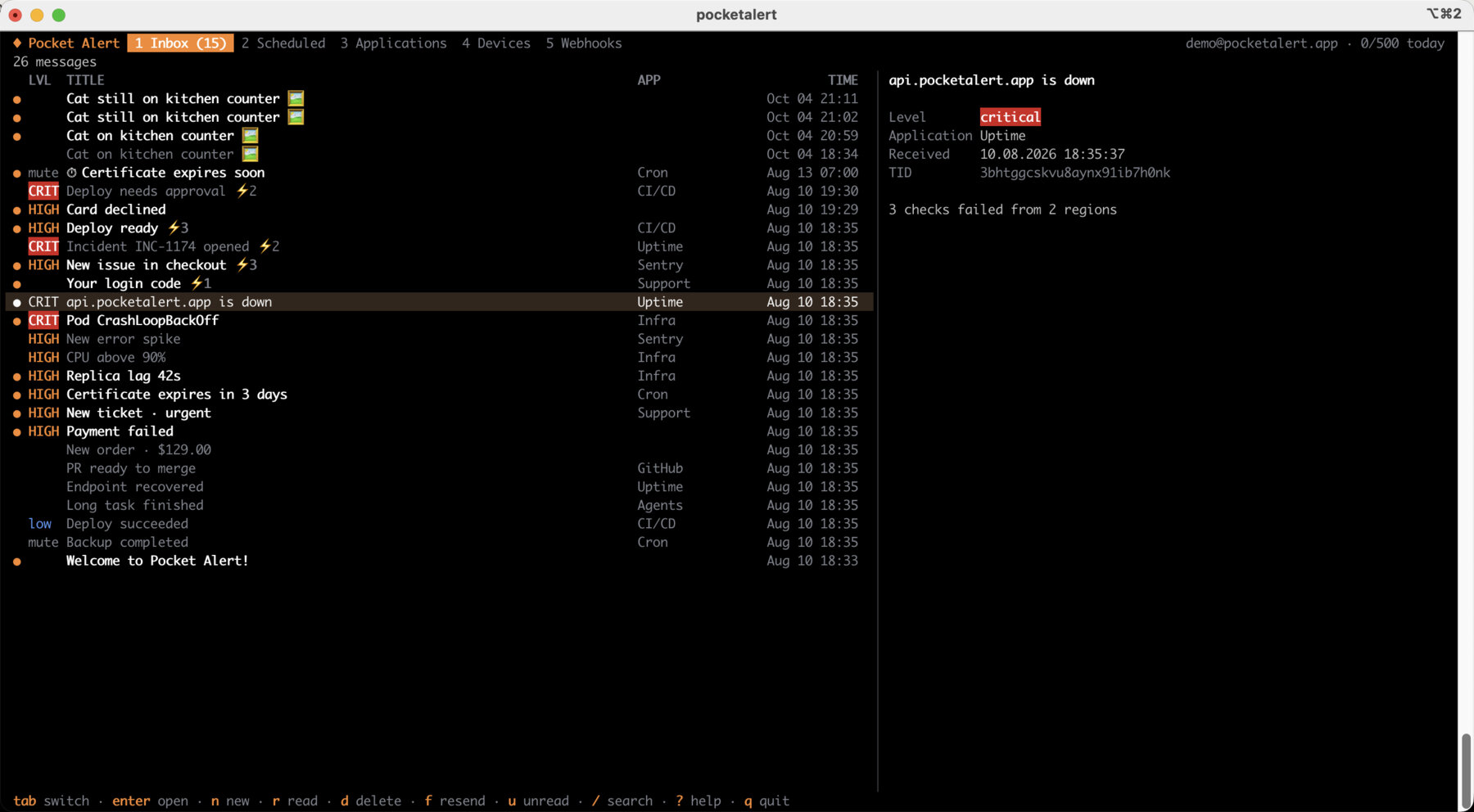
Run pocketalert ui and the terminal becomes a Pocket Alert client. Five tabs, switched with tab or 1 to 5: Inbox, Scheduled, Applications, Devices and Webhooks.
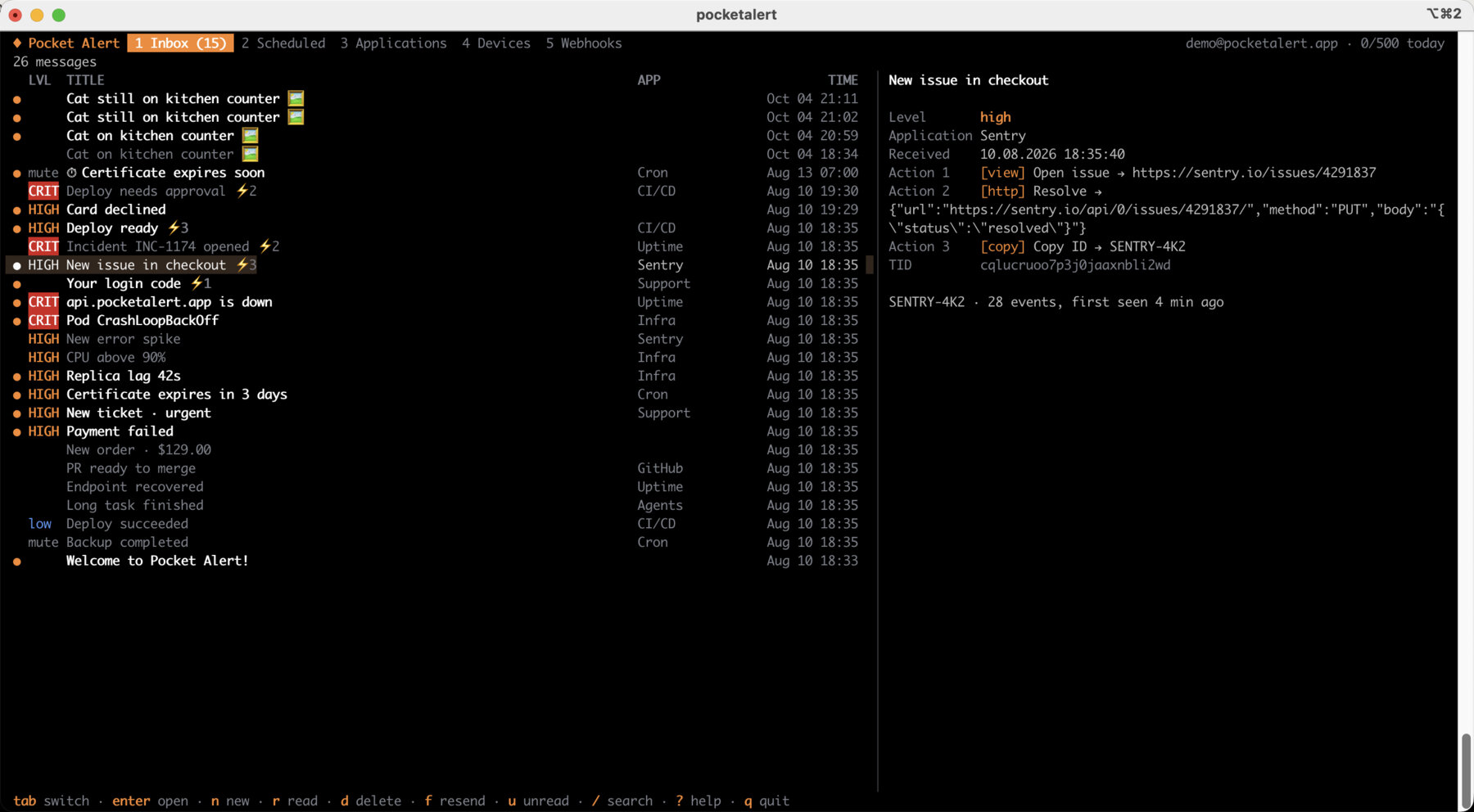
The Inbox lists messages with their level, application and time, unread ones marked with a dot. The pane on the right shows the selected message in full, including its action buttons and their targets. Search with /, show only unread with u, mark one read with r or all with a. New messages appear on their own while the app is open.
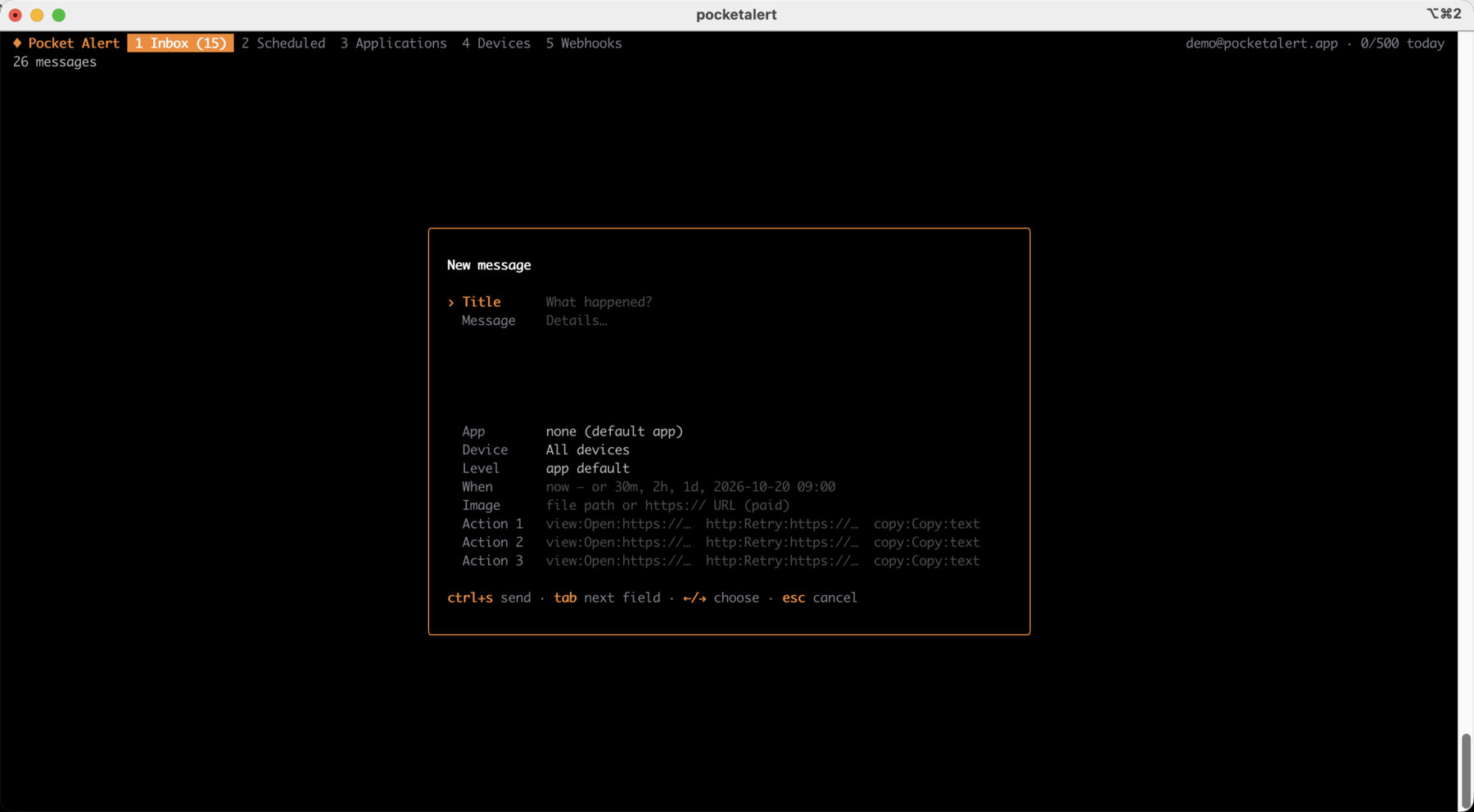
n opens the composer: title and message, then application, device, level, delivery time, image and up to three action buttons, each in the same type:label:value form as the send flags. ctrl+s sends. f on an existing message opens it in the composer again, to resend it or to use it as a template.
The other tabs manage the rest of the account. Applications shows each one with its default level; create, rename, change the level or delete without leaving the keyboard, and press enter to see that application's messages. Devices lists your phones and lets you rename or remove them. Webhooks lists your webhooks with their request history, and y copies a webhook URL. Scheduled shows what is queued and cancels it with d.
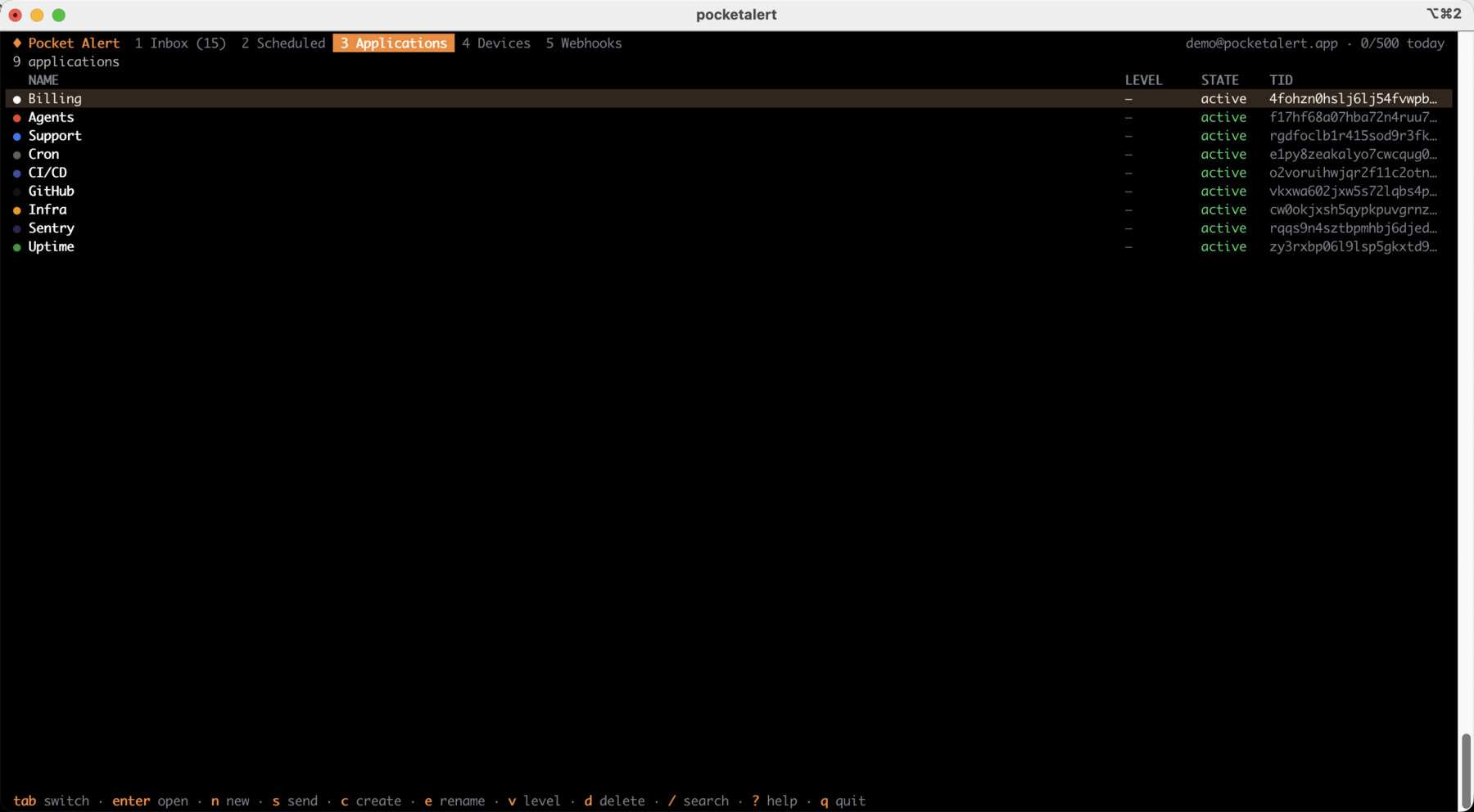
Every destructive action asks first, and ? shows all shortcuts.
Managing the account from scripts
The rest of the API is covered too, and every command takes --json:
pocketalert usage                                   # today's quota
pocketalert messages list -n 20
pocketalert messages read --all
pocketalert apps create -n "Production" -c "#EF4444" -l high
pocketalert webhooks create -n Grafana -m "%title%: %message%" -l high
pocketalert webhooks history <tid> --status error
pocketalert devices rename <tid> "Work phone"
From the CLI you can now set a default level on applications and webhooks, and action buttons on webhooks with %field.path% placeholders filled from the payload, so a Grafana alert can arrive as high with a button that opens that exact panel.
Shell completion for zsh, bash and fish comes with pocketalert completion.
Upgrading from 1.x
Install 2.1 with any of the methods above; it replaces the old binary and keeps your saved key. Three changes may affect existing scripts:
- A message is now required.
pocketalert send -t "Cron OK"without-mreturns an error. Add a message, pipe one in, or useexec, which writes one for you. - Don't mix the forms. Use either
send "Title" "Message"orsend -t "Title" -m "Message".send -t "Title" "Message"reads the second argument as a title and stops. - Prefer
-mfor generated text. A positional message that starts with a dash, such as a Markdown list from an AI agent, is read as an option.-m "$text"is always safe.
Release archives are now named pocketalert_<os>_<arch>.tar.gz, .zip on Windows, if you download them in a provisioning script.
Several bugs from 1.x are fixed along the way: webhooks create now respects --application and --device, webhook URLs point to the right host, errors go to stderr instead of stdout, non-Latin titles are no longer cut mid-character, and hitting the daily limit shows your usage and the reset time instead of a bare 429.
Where it fits
The CLI is now the shortest path from a terminal to your phone, and the guides on this blog use it where it saves lines. For coding agents, the hook scripts in the Claude Code, Codex and Cline and Aider guides can call pocketalert send instead of curl. For cron and CI, exec replaces most || curl one-liners.
Install the CLI, run pocketalert auth, and try pocketalert ui.