Your notifications, one click away.
Read recent alerts, send messages to your devices, and never miss an update — straight from your browser toolbar. Unread badge, desktop notifications, light & dark themes.
Everything Pocket Alert does, in your toolbar
Read, send, and stay alerted without leaving the page you are on.
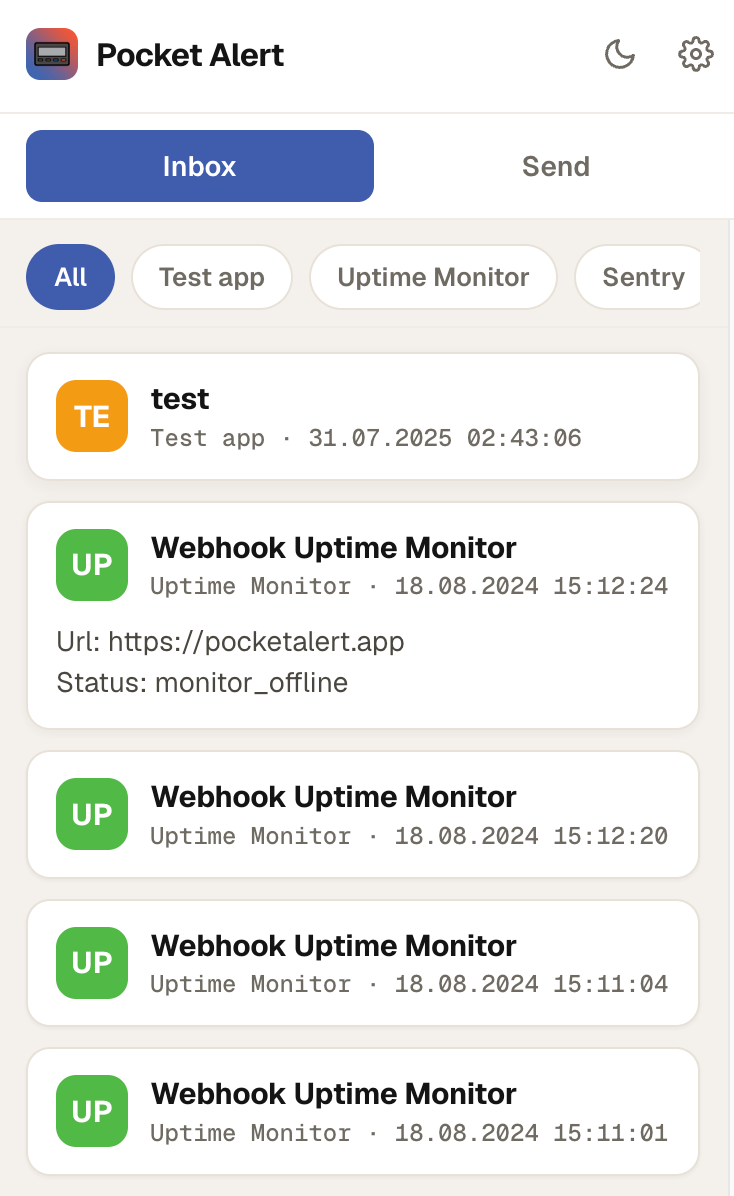
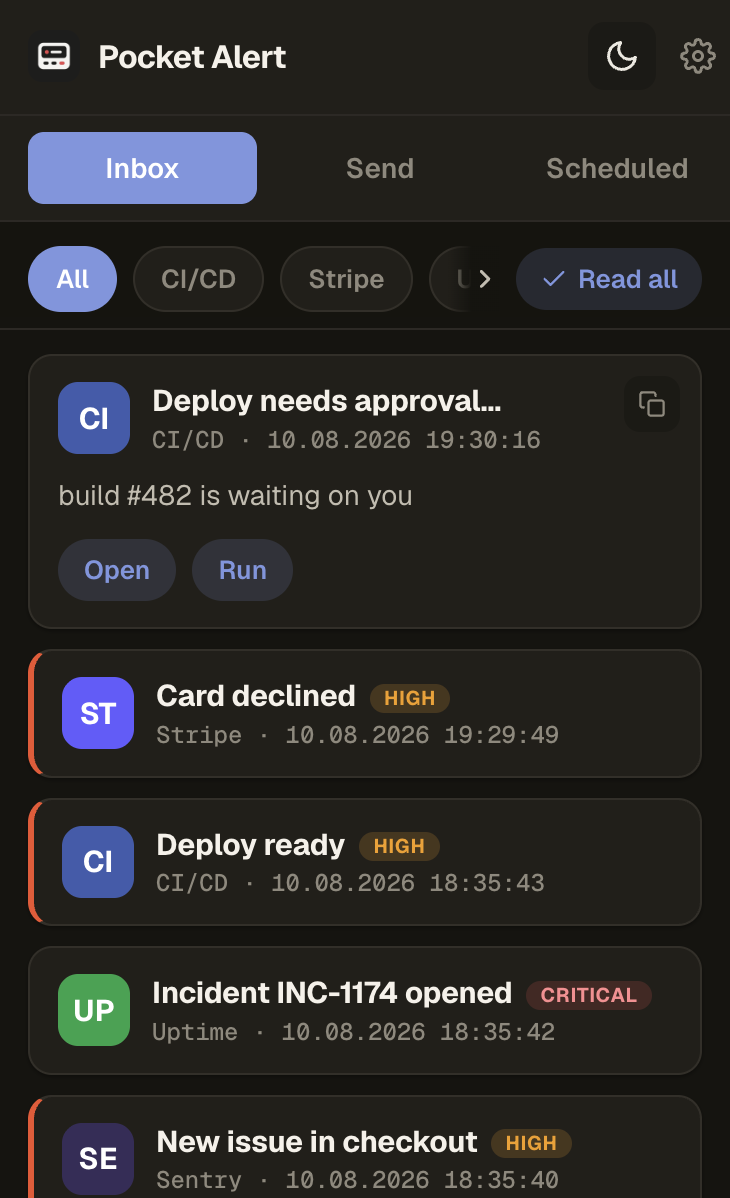
Recent notifications inbox
Your latest notifications as cards, right in the toolbar. Unread ones are flagged, click to expand the full message.
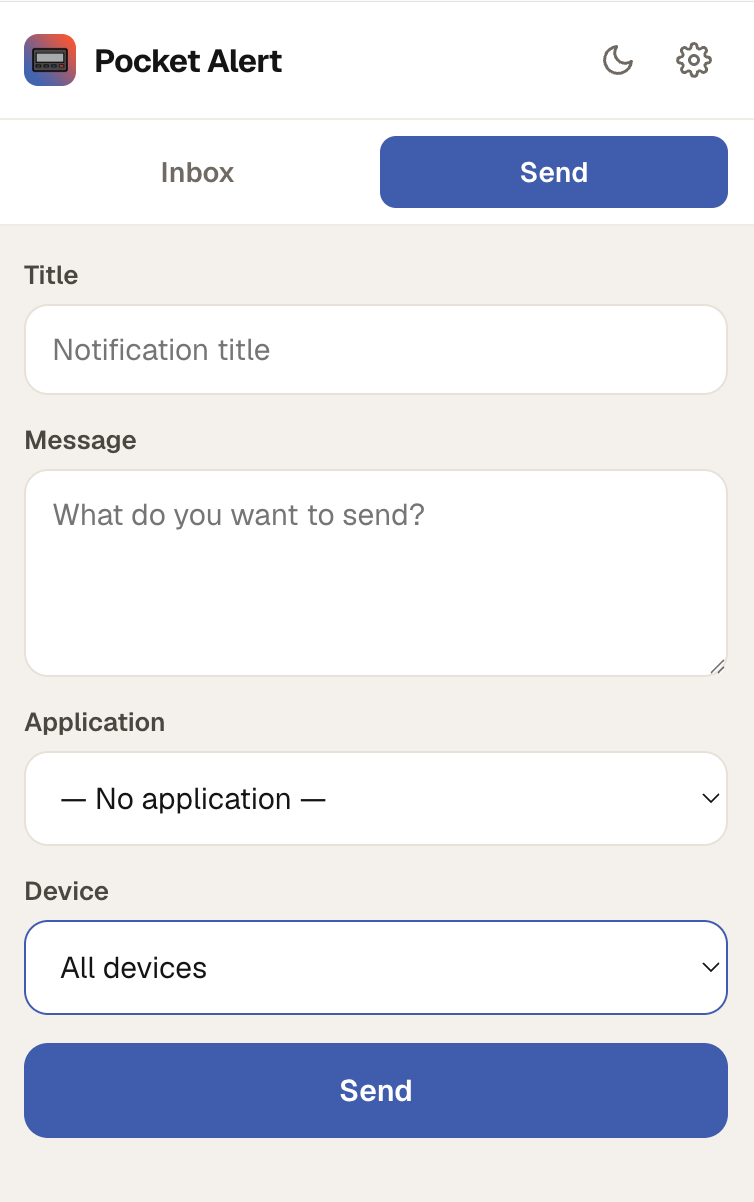
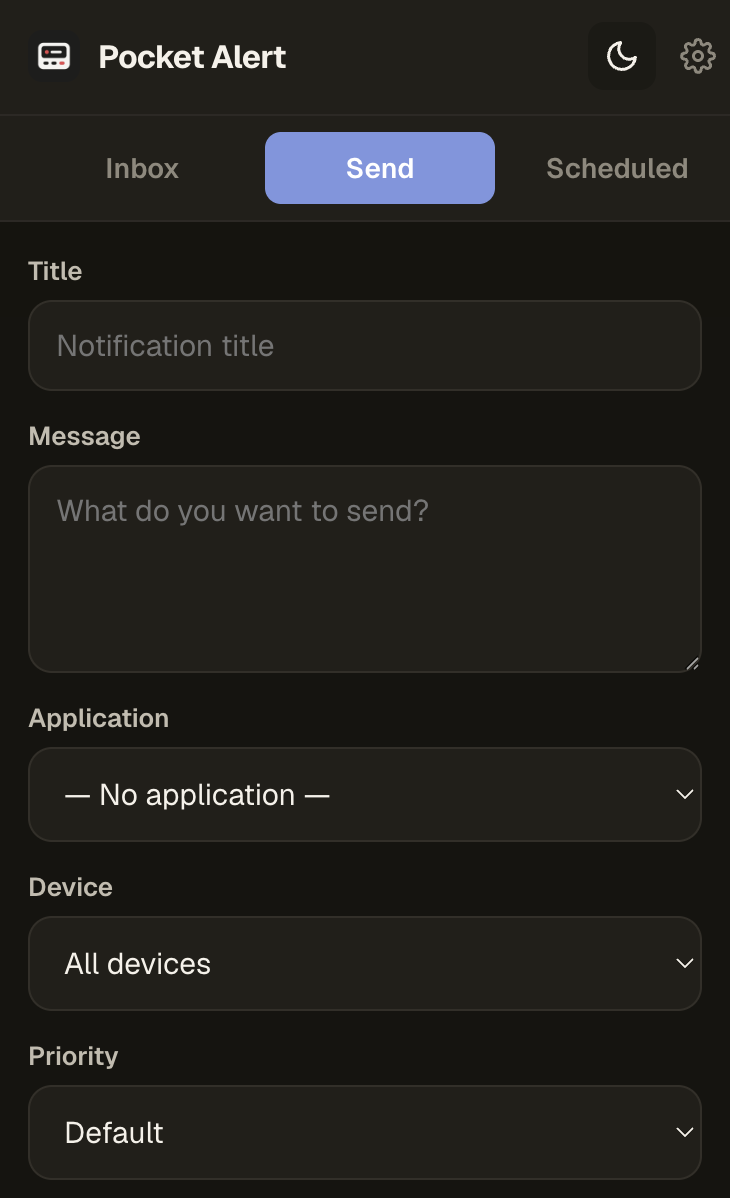
Send from your browser
Push a title and message to a single device or broadcast to all of them — and tag it with an application source.
Filter & paginate
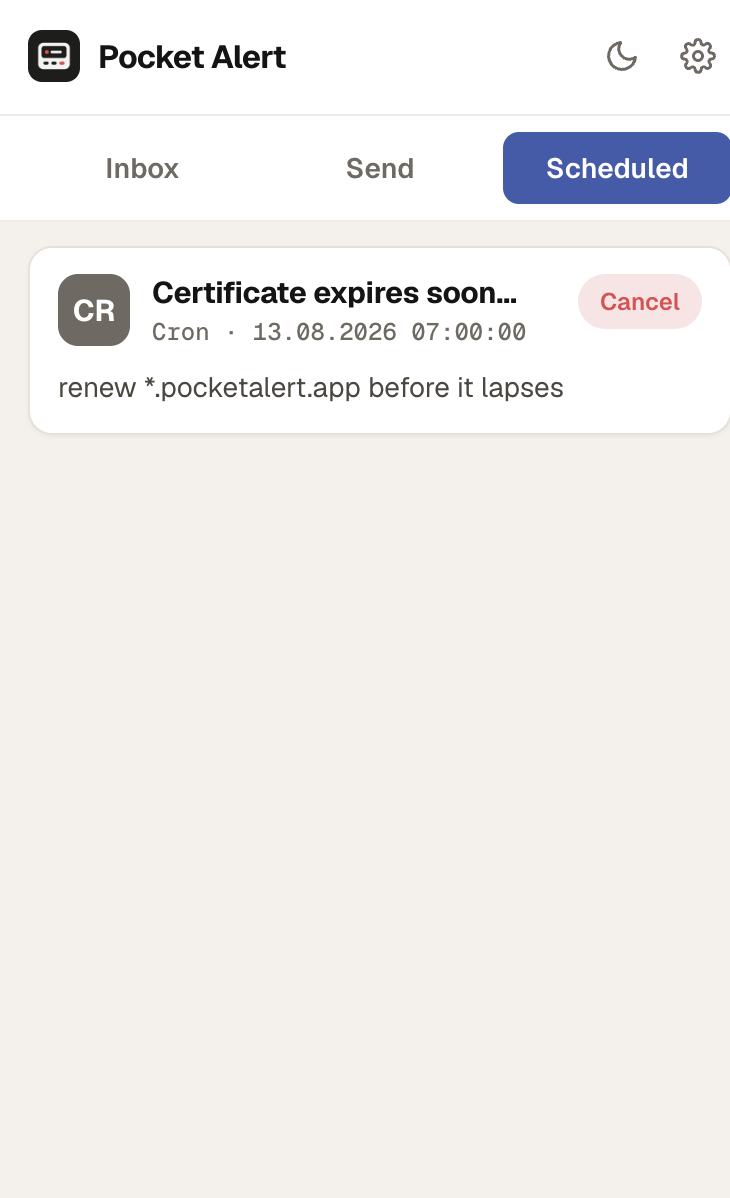
Filter the inbox by application, and load older messages on demand. Set how many to fetch per page (up to 100).
Badge & desktop alerts
A live unread counter sits on the toolbar icon, and new messages pop a native desktop notification.
Read & read-all
Mark a single message read on open, or clear everything at once with one click. Stays in sync with your account.
Themes & saved drafts
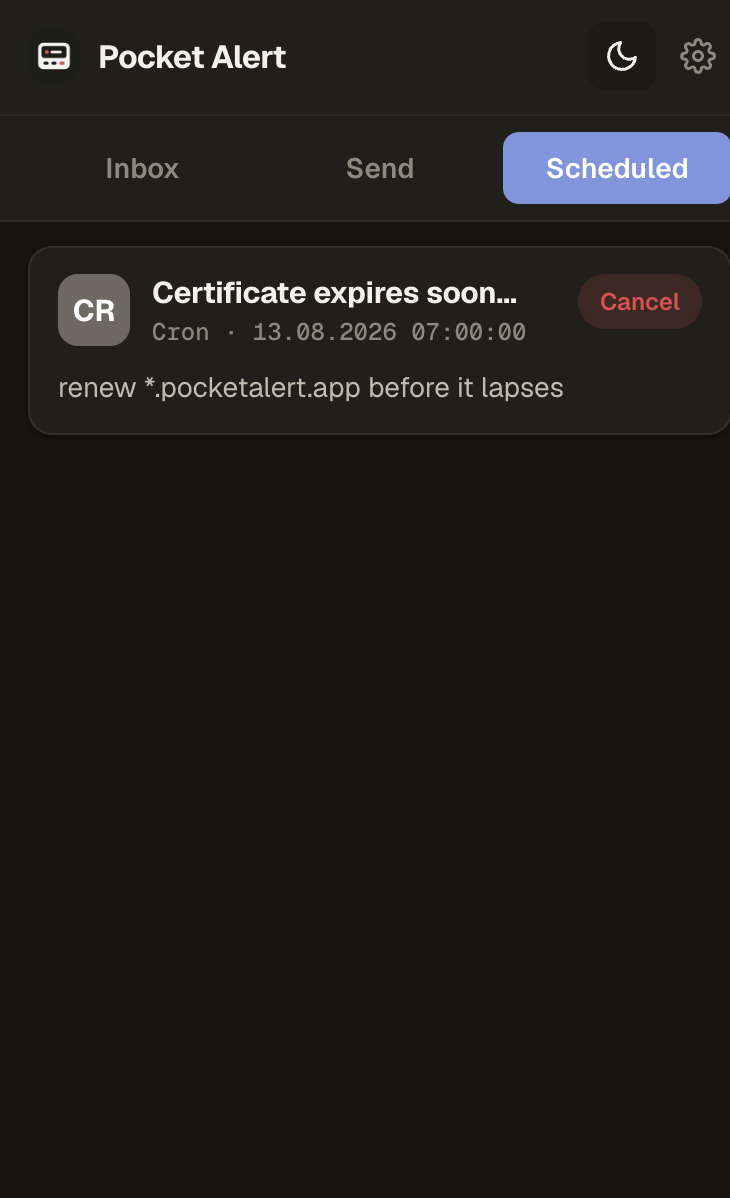
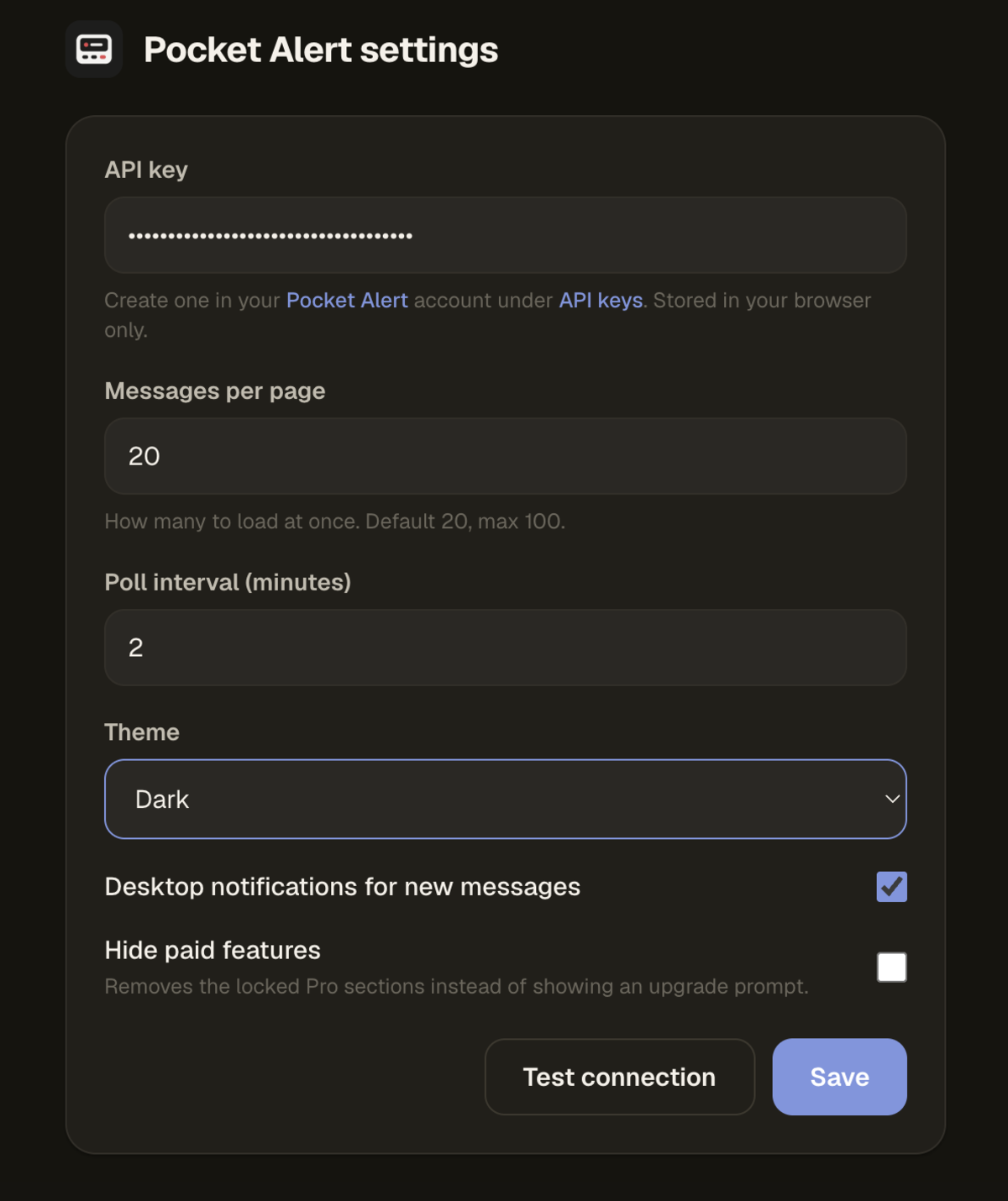
Light, dark, or follow your system. Drafts and your current tab are preserved when the popup closes.
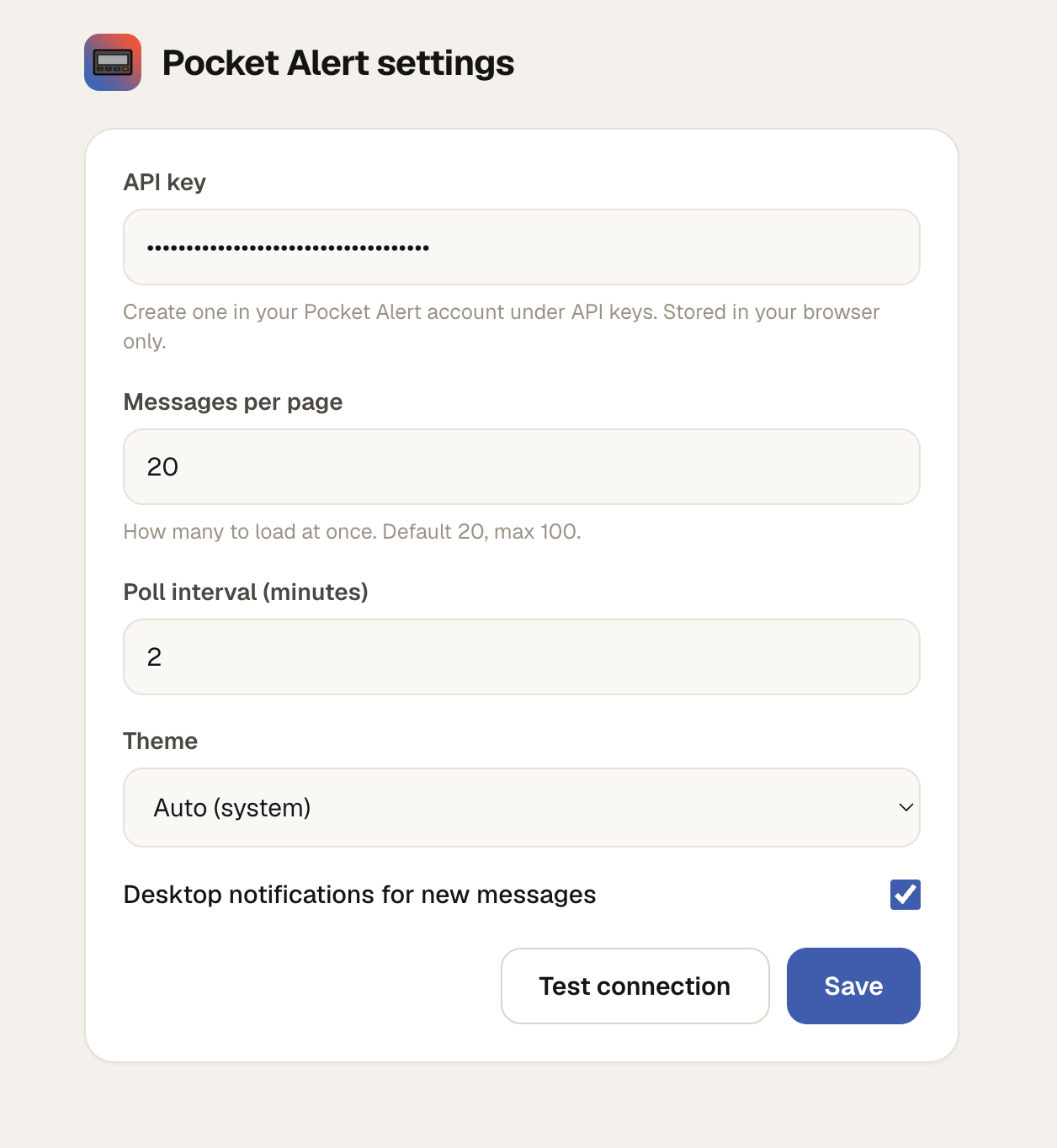
A quick look
Inbox, send form, and settings — clean and on-brand with the rest of Pocket Alert.
Three steps to your toolbar
Install from the store
Open the Pocket Alert listing on the Chrome Web Store and click “Add to Chrome”.
Add your API key
Click the extension, open Settings, and paste your API key from your Pocket Alert account.
Read & send
Your inbox loads instantly — read alerts and send messages straight from the toolbar.
Questions, answered
The Pocket Alert browser extension brings your notifications into Chrome. From the toolbar you can read recent messages, send a notification to your devices, see an unread badge, and get native desktop alerts — without opening the web app.
Open the extension, go to Settings, and paste an API key from your Pocket Alert account under API keys. The key is stored only in your browser and sent over HTTPS in the Token header.
Yes. You can send a message with a title and body to a specific device or broadcast to all devices, and optionally tag it with an application source — the same as sending from the web app or API.
The extension polls on an interval you set (default every 2 minutes). New messages bump the toolbar badge and trigger a desktop notification, which you can turn off in Settings.
It is built on Chrome Manifest V3 and works in Chrome and other Chromium browsers such as Microsoft Edge. Install it directly from the Chrome Web Store.
Your API key lives in the browser’s extension storage and is only ever sent to the Pocket Alert API over HTTPS. Drafts and your active tab are kept locally so nothing is lost when the popup closes.
Put Pocket Alert in every tab
Install the extension, paste your API key, and your notifications live in the toolbar.