Telegram bot notifications vs a push API for developer alerts
Ask a room of developers how they get alerts from their scripts and half will say "a Telegram bot". It is free, Telegram is already on the phone, and the first message takes ten minutes to wire up.
It is also a chat app doing a pager's job. That works until the alert that matters arrives in the same stream as group chats, or until a filename with an underscore breaks the message. This post walks through the Telegram setup honestly, where it holds up, where it does not, and what the same alert looks like through a push notification API.
The Telegram setup, start to finish
- Create the bot. Message
@BotFather, send/newbot, pick a name and a username ending inbot. You get a token like110201543:AAH.... - Say hello first. Bots cannot start a conversation, so open the bot and send it any message. For a group, add the bot to the group.
- Find your chat id. Call
getUpdatesand readmessage.chat.idfrom the result:
curl -s "https://api.telegram.org/bot$TG_TOKEN/getUpdates" | jq '.result[].message.chat.id'
Updates are kept for 24 hours, and getUpdates stops working once a webhook is set on the bot. Group ids are negative, and supergroup ids start with -100.
- Send the alert:
curl -s "https://api.telegram.org/bot$TG_TOKEN/sendMessage" \
  -d chat_id="$TG_CHAT_ID" \
  -d text="Backup failed on db-01"
That is the whole integration: two secrets in an environment file and one HTTP call.
Where Telegram works well
- It costs nothing. Telegram's own FAQ says bots can message their users at no cost.
- It is everywhere you are. Phone, desktop and web clients, all in sync.
- Groups are free. Add the bot to a team chat and everyone sees the alert and can talk about it in the same thread.
- You already have it open. No new app, no new account.
For low-stakes notifications, such as "the nightly report is ready", that is hard to beat.
Where it gets awkward
Every alert sounds the same
The Bot API has exactly one delivery control: disable_notification, which sends a message without sound. There is no priority, no time-sensitive level, nothing that gets through Do Not Disturb. A failed backup at 3 a.m. arrives the same way as a sticker in a group chat, and if you mute the chat to escape the noise, you mute the alerts with it.
Formatting will bite you
With parse_mode=MarkdownV2, the characters _ * [ ] ( ) ~ > # + - = | { } . ! and the backtick all have to be escaped with a backslash outside formatting. Alerts are full of exactly those characters: file names, version numbers, URLs, stack traces. One unescaped dot in db-01.internal and Telegram rejects the message with a 400 error, so the alert about the failure fails too. HTML mode is safer, but you still have to escape <, > and & in everything you send.
The token is the bot
The token goes in the URL path of every request, and Telegram's docs put it plainly: anyone who has it can control your bot. In practice that URL ends up in shell history, CI logs and wherever else request URLs get written down. If it leaks, /token in BotFather issues a new one, and then every script needs updating.
Buttons need a running bot
Inline buttons can open a URL, which is fine. A button that does something, like "restart the service", uses callback_data, and the tap shows a spinner until your bot answers it. That means a process listening for updates around the clock, which is more than a cron job wants to own.
Bursts hit rate limits
Telegram asks bots to stay under one message per second per chat, and 20 messages per minute in a group. Point a chatty webhook at a group and you get 429 Too Many Requests with a retry_after value, right when things are going wrong and alerts are coming in fastest.
Services cannot post straight to it
GitHub, Stripe, Grafana and Sentry send webhooks with their own JSON. The Bot API wants a chat_id and a text. Something has to sit in the middle and translate: a small server, a serverless function, or an n8n or Zapier flow. That relay is one more thing to keep running.
Alerts live in a messenger
Bot messages are ordinary Telegram chat messages, stored by Telegram and mixed in with your personal chats. Searching last month's incidents means scrolling a chat, not filtering a history by source.
The same alert through a push API
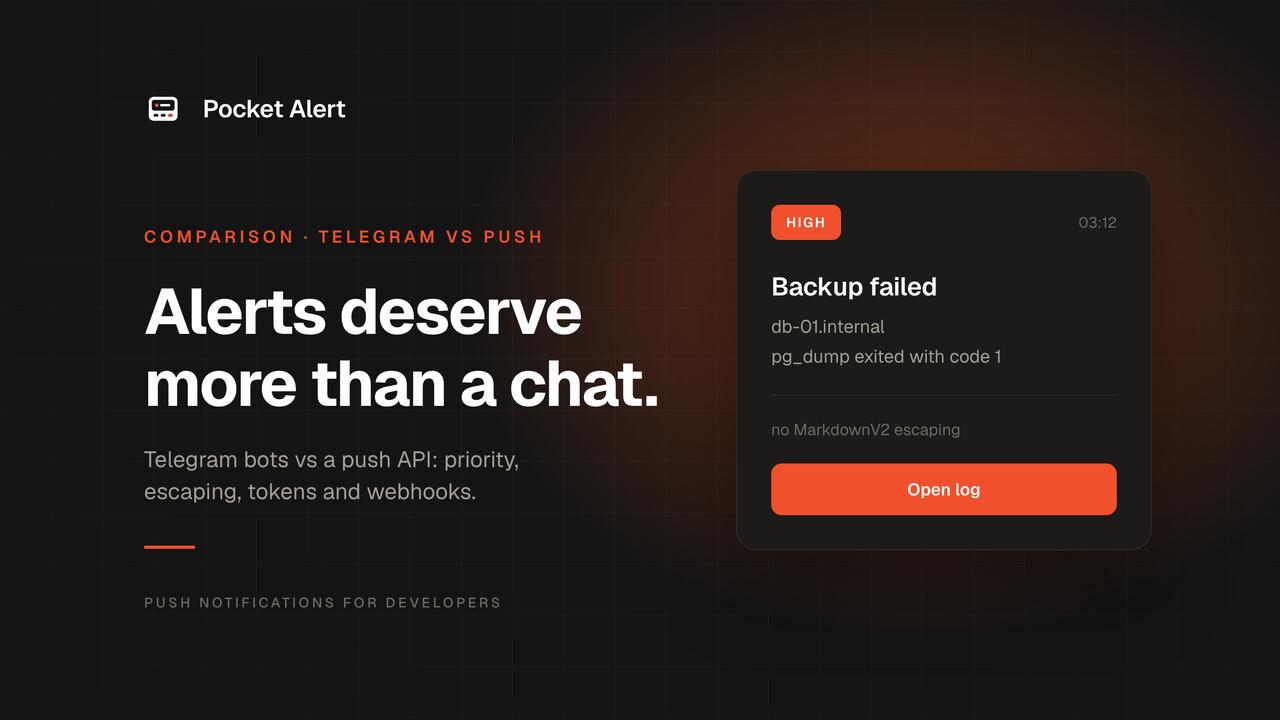
Here is the backup alert sent to Pocket Alert, with a priority and a button that opens the job log:
curl -X POST https://api.pocketalert.app/v1/messages \
  -H "Token: $PA_KEY" \
  -H 'Content-Type: application/json' \
  -d '{
    "title": "Backup failed",
    "message": "db-01.internal: pg_dump exited with code 1",
    "level": "high",
    "actions": [{ "type": "view", "label": "Open log", "value": "https://ci.example.com/jobs/4821" }]
  }'
What changes:
- One secret, in a header. An API key in the
Tokenheader, not a token in the URL plus a chat id. - Plain text in, plain text out. No escaping rules. Dots, underscores and brackets arrive as they are.
- Priority per message.
silent,low,default,highorcritical. On iPhone, high and critical come through Focus as time-sensitive notifications, and on Android a critical alert overrides Do Not Disturb. See critical alerts. - Buttons without a bot. Up to three action buttons: open a URL, call an HTTP endpoint, or copy a value. Nothing has to listen for taps.
- Services post directly. Each webhook has its own URL. GitHub or Grafana sends its own JSON, and placeholders like
%alerts.0.labels.alertname%pull fields into the notification. Every call is recorded in the webhook history. - A history of its own. Alerts are kept in a separate app and dashboard, grouped by application, not between your chats.
When Telegram is still the better choice
Being fair about it:
- Volume on a budget. Telegram is free with no daily quota beyond its rate limits. Pocket Alert's free plan is 50 messages a day; more needs a paid plan from $6 a month.
- Alerts that start a conversation. If the point is for a team to discuss an alert where it lands, a group chat does that and a push notification does not.
- Desktop and web first. If you live on a laptop, Telegram's desktop client shows alerts where you already look. Pocket Alert's apps are for iPhone and Android, with a web dashboard for history.
A split that works for many teams: keep a Telegram group for chatter and daily summaries, and send anything that should wake someone up as a push with a level.
FAQ
Can a Telegram bot message bypass Do Not Disturb?
Not from the bot's side. The Bot API has no priority setting, only disable_notification to make a message silent. The only way through Focus on iPhone is for the recipient to allow Telegram as an app exception, which lets every Telegram notification through, not just alerts.
How do I find my Telegram chat id?
Send any message to your bot, then call https://api.telegram.org/bot<token>/getUpdates and read message.chat.id. If the result is empty, the update may be older than 24 hours, or the bot has a webhook set, and getUpdates does not work while one is.
Why does my Telegram alert fail with a 400 error?
Usually an unescaped character in MarkdownV2 or HTML mode. Drop parse_mode to send plain text, or escape every reserved character before sending.
Is a push notification API harder to set up than a Telegram bot?
About the same. With Pocket Alert you install the app, copy an API key from the dashboard and send one POST. There is no chat id to look up and no bot to create.
Can I send to both?
Yes. Many teams keep Telegram for discussion and send alerts that need a response as a push. A script can call both APIs, and most services that send webhooks accept more than one URL.
Create a free Pocket Alert account and send the curl above, or read what a push notification API is first. If you are weighing other options, the comparison hub covers Pushover, ntfy, Bark, Gotify and more.