n8n push notifications: alerts on your phone from any workflow
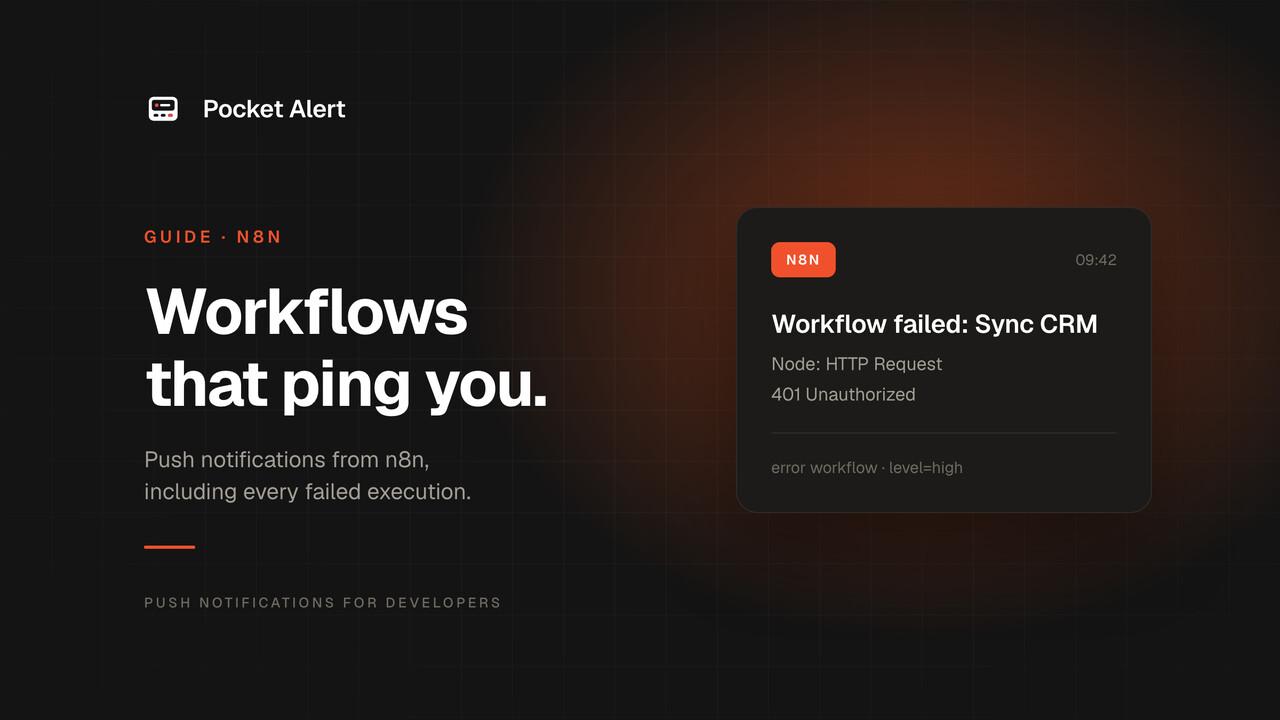
n8n is good at doing things while you're away, and bad at telling you about them. A form comes in, a feed gets a new post, a sync fails at 3 a.m., and the only record is a line in the executions list you'll open next week.
This guide connects n8n to your phone. You'll call the Pocket Alert API from an HTTP Request node, wrap that call in one reusable sub-workflow, add an error workflow that pings you when any workflow fails, and finish with Approve and Decline buttons that resume a workflow from the lock screen.
Everything below was tested on n8n 2.45.7 (the n8nio/n8n Docker image), with the HTTP Request node pointed at a local request catcher so every request could be checked against the API reference.
What you need
- An n8n instance: self-hosted or n8n Cloud.
- A Pocket Alert account and the app on your iPhone or Android phone. Sign up free.
- An API key from API Keys.
Step 1: a Header Auth credential
Pocket Alert reads the API key from a header called Token. In n8n, create a credential of type Header Auth:
- Name:
Token - Value: your API key
Call the credential Pocket Alert. Storing the key as a credential keeps it out of the workflow JSON, so you can export and share workflows without leaking it.
Step 2: the HTTP Request node
Add an HTTP Request node and set it up like this:
| Field | Value |
|---|---|
| Method | POST |
| URL | https://api.pocketalert.app/v1/messages |
| Authentication | Generic Credential Type, then Header Auth, then the Pocket Alert credential |
| Send Body | On |
| Body Content Type | JSON |
| Specify Body | Using JSON |
The body needs title and message. level and actions are optional. The obvious way to write it is plain JSON with expressions in the strings:
{
  "title": "New signup",
  "message": "{{ $json.name }} on {{ $json.plan }}",
  "level": "high"
}
That works until a value contains a double quote or a line break. With name set to Ana "AJ" Silva, n8n stops the node with "The value in the JSON Body field is not valid JSON", because the quote ends the string early. Form messages and RSS titles hit this sooner than you'd expect.
The fix is to let JavaScript build the JSON. Put the whole body in one expression:
{{ JSON.stringify({
  title: 'New signup',
  message: $json.name + ' on ' + $json.plan,
  level: 'high'
}) }}
Or, if you prefer to keep the JSON layout, wrap each dynamic value in JSON.stringify() and drop the quotes around it: "message": {{ JSON.stringify($json.name + ' on ' + $json.plan) }}. Both produced valid JSON with the quotes escaped in testing. Here is what n8n sent:
POST /v1/messages
Content-Type: application/json
Token: <your API key>
User-Agent: n8n

{"title":"New signup","message":"Ana \"AJ\" Silva on Pro","level":"high"}
level takes silent, low, default, high or critical. high breaks through Focus on iPhone. critical plays through the silent switch and Do Not Disturb. It's a paid feature; on the Free plan it arrives as high. More in priority levels.
Step 3: one "Send push" sub-workflow for everything
Copying that node into every workflow means changing ten workflows when you change the key, the level logic or the button. Put it in one sub-workflow instead, and call it from everywhere else.
Copy this JSON and paste it onto an empty n8n canvas (or save it as a file and use Import from File):
{
  "name": "Send push",
  "nodes": [
    {
      "parameters": {
        "workflowInputs": {
          "values": [
            { "name": "title" },
            { "name": "message" },
            { "name": "level" },
            { "name": "url" }
          ]
        }
      },
      "name": "When called",
      "type": "n8n-nodes-base.executeWorkflowTrigger",
      "typeVersion": 1.1,
      "position": [0, 0]
    },
    {
      "parameters": {
        "method": "POST",
        "url": "https://api.pocketalert.app/v1/messages",
        "authentication": "genericCredentialType",
        "genericAuthType": "httpHeaderAuth",
        "sendBody": true,
        "specifyBody": "json",
        "jsonBody": "={{ JSON.stringify({\n  title: $json.title,\n  message: $json.message,\n  level: $json.level || 'default',\n  actions: $json.url ? [{ type: 'view', label: 'Open', value: $json.url }] : []\n}) }}",
        "options": {}
      },
      "name": "Pocket Alert",
      "type": "n8n-nodes-base.httpRequest",
      "typeVersion": 4.2,
      "position": [220, 0]
    }
  ],
  "connections": {
    "When called": { "main": [[{ "node": "Pocket Alert", "type": "main", "index": 0 }]] }
  },
  "settings": { "executionOrder": "v1" }
}
After importing, open the Pocket Alert node and pick your credential. The sub-workflow takes four inputs: title, message, an optional level that falls back to default, and an optional url. When url is set, the push gets an Open button that opens it. An empty actions array is accepted and simply means no buttons.
Publish it. On n8n 2.x, production runs call the published version of a sub-workflow. Until you publish Send push, every scheduled or webhook-triggered call fails with "Workflow is not active and cannot be executed", even though a manual test from the editor works, because manual runs use the draft. The same applies after edits: changes to Send push reach production only when you publish again.
To call it from another workflow, add an Execute Sub-workflow node, choose Send push from the list, and fill the four fields with expressions, for example New order #{{ $json.id }} for the title.
Get a push when any workflow fails
n8n runs a separate error workflow when a production execution fails. Create a workflow called Error alert with an Error Trigger node followed by an Execute Sub-workflow node that calls Send push with these fields:
| Input | Expression |
|---|---|
| title | Failed: {{ $json.workflow.name }} |
| message | {{ ($json.execution?.lastNodeExecuted ?? 'Trigger') + ': ' + ($json.execution ?? $json.trigger).error.message }} |
| level | high |
| url | {{ $json.execution?.url ?? '' }} |
Publish Error alert too; on 2.x an unpublished error workflow is skipped with the same "not active" message in the log. Then open each workflow you care about, go to Workflow settings, and set Error workflow to Error alert.
To check the paths, a workflow named "Sync orders" was made to fail on purpose: its HTTP Request node got a 503. The Error Trigger received this (trimmed):
{
  "execution": {
    "id": "5",
    "url": "http://localhost:5678/workflow/WPErAWNJyV6MWO11/executions/5",
    "error": {
      "message": "Service unavailable - try again later or consider setting this node to retry automatically (in the node settings)",
      "description": "down",
      "httpCode": "503"
    },
    "lastNodeExecuted": "Fetch orders",
    "mode": "webhook"
  },
  "workflow": { "id": "WPErAWNJyV6MWO11", "name": "Sync orders" }
}
The phone got "Failed: Sync orders" with "Fetch orders: Service unavailable..." and an Open button pointing at that execution. Two details matter:
- The execution link uses your public URL. n8n builds
execution.urlfromN8N_EDITOR_BASE_URL, falling back to the webhook URL. In the test that waslocalhost, which is useless on a phone. On a self-hosted instance, setN8N_EDITOR_BASE_URLto the address you open n8n at. - A failing trigger looks different. When the trigger itself fails, for example an RSS feed that returns HTML, there's no execution. The payload has
trigger.errorinstead ofexecution, and no URL. The?.and??in the expressions above cover that case; in testing it arrived as "Failed: Changelog to phone" with "Trigger: Non-whitespace before first tag..." and no button.
Three workflows people actually build
Each of these ends in the same Execute Sub-workflow node calling Send push. All three ran against the catcher and produced valid requests.
A new form submission
An n8n Form Trigger with three fields labelled Name, Email and Message. The form's output uses the labels as keys, so the inputs are:
- title:
Contact form: {{ $json.Name }} - message:
{{ $json.Email }}and{{ $json.Message }}on the next line - level:
default
Leave url empty here. A view button needs an http(s) URL, so a mailto: link would get the request rejected with 400. The same works with a Webhook node behind your own site's form: the fields are then under $json.body. More ideas in form submission alerts.
A new post in an RSS feed
An RSS Feed Trigger polling a changelog or blog every 10 minutes:
- title:
New post: {{ $json.title }} - message:
{{ $json.contentSnippet }} - level:
low - url:
{{ $json.link }}
contentSnippet is the description with HTML stripped, so <p>You can now work <b>offline</b>.</p> arrived as plain text. The trigger only emits items newer than the last one it saw, so turning it on doesn't flood you with the archive. The Open button goes to the post.
A scheduled check
Schedule Trigger every 5 minutes, then an HTTP Request node that GETs your site with two options turned on under Response: Include Response Headers and Status and Never Error. Without Never Error, a 503 stops the node instead of reaching the next step. Then an If node with {{ $json.statusCode }} is not equal to 200, and on the true branch:
- title:
Site check failed: {{ $json.statusCode }} - level:
high - url: the page you're checking
Never Error covers bad status codes, not a site that doesn't answer at all. A DNS failure or a timeout still fails the node, and then the error workflow sends the push. Keep in mind that a check like this pings you on every run while the site is down: twelve pushes an hour at a 5-minute interval. More patterns in automation alerts.
Approve or decline from the lock screen
Some workflows shouldn't finish without a person: a refund over a limit, a post going out, an AI agent about to touch production. Pocket Alert's http action buttons send a request straight from the phone, and n8n's Wait node can pause until a request arrives. Put them together:
- A trigger with the request, here a Webhook node receiving
{"order":"A-1042","amount":129}. - An HTTP Request node that sends the push with two buttons.
- A Wait node: Resume set to On Webhook Call, HTTP Method
POST, Limit Wait Time on, 2 hours. - An If node:
{{ $json.body.decision }}equalsapprove.
The body of the HTTP Request node:
{{ JSON.stringify({
  title: 'Refund $' + $json.body.amount + '?',
  message: 'Order ' + $json.body.order + ' is asking for a refund.',
  level: 'high',
  actions: ['approve', 'decline'].map(decision => ({
    type: 'http',
    label: decision === 'approve' ? 'Approve' : 'Decline',
    value: JSON.stringify({
      url: $execution.resumeUrl,
      method: 'POST',
      headers: { 'Content-Type': 'application/json' },
      body: JSON.stringify({ decision })
    })
  }))
}) }}
An http button's value is itself a JSON string, which is why there's a JSON.stringify inside a JSON.stringify. $execution.resumeUrl is the address the Wait node listens on for this one execution.
In testing, a POST to the Approve button's URL with its body returned 200, the workflow resumed, and $json.body.decision was approve, so the If node took the true branch. Decline went down the false branch. The details that took a few tries:
- Send the decision in the body, not the URL. On n8n 2.45.7 the resume URL already ends in
?signature=.... Appending?decision=approvebreaks the signature and n8n answers401. A JSON body avoids string surgery. - The second tap is refused. Once the execution has resumed, another tap gets
409"has finished already", and the app shows its failed-request notification with a Retry button. The first tap is the one that counts. - No answer means no. When the 2-hour limit runs out, the Wait node continues with no
decision, so the If node goes to the false branch. Make that branch the safe one. - The phone has to reach n8n. The request goes from the phone, not from Pocket Alert.
$execution.resumeUrlis built from your webhook URL (WEBHOOK_URL, which n8n 2.45 asks you to rename toN8N_WEBHOOK_URL). On n8n Cloud or behind a public domain that just works. On a home server it works while the phone is on the same network, or over a VPN like Tailscale. - Buttons are a paid feature. On the Free plan the push still arrives, but without buttons. System notification buttons need the Pocket Alert app 2.0.1 or later.
The same pattern for AI agents is in human-in-the-loop notifications.
Or POST to a Pocket Alert webhook
If you'd rather not keep an API key in n8n, create a webhook at Webhooks in the console and have the HTTP Request node POST JSON to its https://p4a.me/wh/... URL with no authentication. A template on the webhook turns the payload into the message. The trade-off: the title is always Webhook <name>, and the text comes from the template rather than from the workflow. The webhook history logs every request it received, which helps when you're debugging.
Limits and troubleshooting
- Daily quota. The Free plan allows 50 messages a day, reset at 00:00 UTC. A loop over 200 items sends 200 pushes. After the limit the API answers
429; don't let n8n retry it, the answer won't change until the reset. See daily limits. 401means the key is wrong, or the header name in the credential is something other thanToken.400means the body is missingtitleormessage(an expression that came out empty counts), has an unknown level, or has a button that isn't valid: more than 3, aviewURL that isn'thttp(s), or anhttpvalue that isn't a JSON string with aurl.- "not valid JSON" in n8n means a value broke the JSON body. Switch to
JSON.stringifyas in Step 2. - Nothing on failure. Check that Error alert and Send push are both published and that the failing workflow has Error alert set in its settings. Manual test runs from the editor don't trigger the error workflow.
FAQ
Is there a Pocket Alert node for n8n?
Not at the moment. The HTTP Request node covers the whole API, and the Send push sub-workflow gives you a node-like block you set up once. There is an official Make app if you use Make.
Does this work on n8n Cloud?
Yes. Everything here uses built-in nodes. On Cloud the execution and resume URLs are already public, which saves the URL configuration a self-hosted instance needs.
Can I send to one phone only?
Add device_id with the device's ID to the body. Without it the push goes to all your devices. application_id files the message under an application, so n8n alerts get their own channel in the app.
Create a free account, import the Send push workflow, and point your error workflow at it. The next failed run will show up on your phone instead of the executions list.