Gemini CLI push notifications: done, or waiting for approval
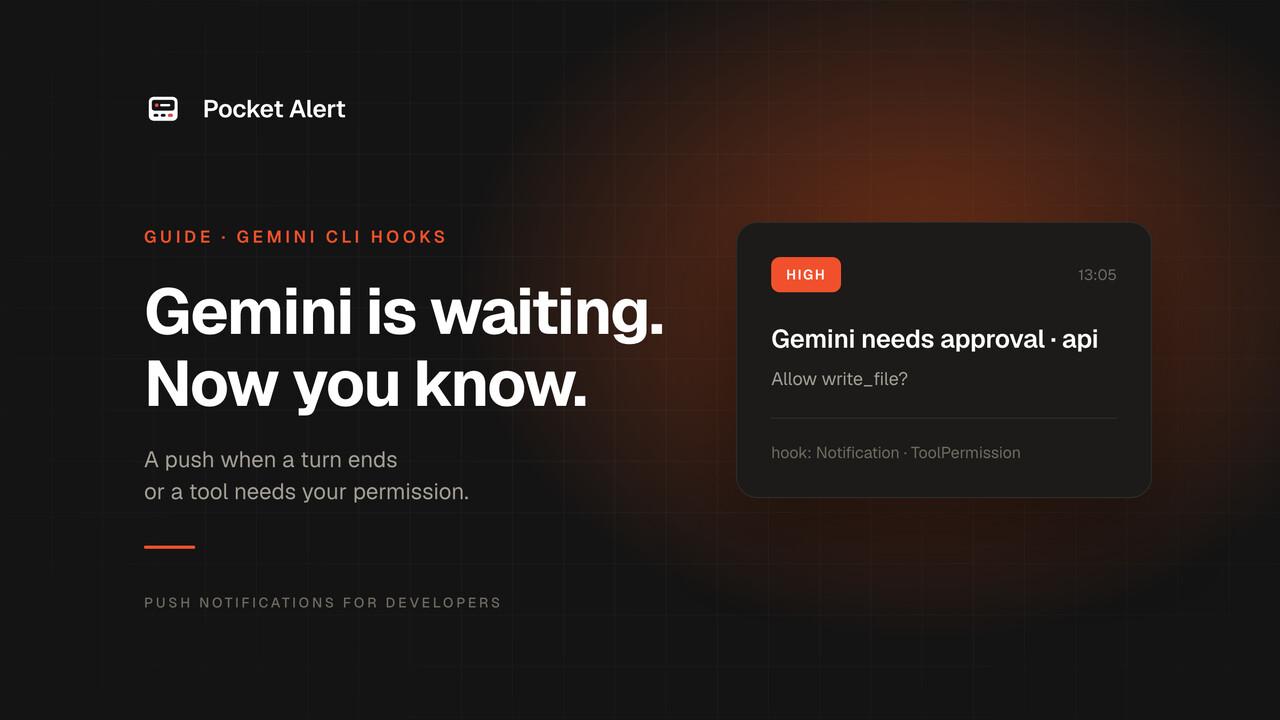
Gemini CLI can notify you on its own, but only through the terminal: turn on general.enableNotifications and it sends a desktop notification or a bell when it finishes or needs you. That helps when you are at the computer and the terminal is in another tab. It does nothing when you are not at the computer.
Hooks close the gap. Since v0.26 they are on by default, and two of the events are exactly what a phone push is for:
- AfterAgent: Gemini finished its turn. The payload includes the response.
- Notification: Gemini is asking for permission to run a tool.
This guide sends both to your phone through Pocket Alert.
A note on which Gemini CLI
Since 18 June 2026, Google's documentation says Gemini CLI has been replaced by Antigravity CLI for the free tier and Google One plans. Gemini CLI itself continues with a paid Gemini API key, Vertex AI or enterprise access, and that is what this guide covers. If you use Antigravity CLI, check its documentation for hooks.
What you need
- Gemini CLI v0.26 or later.
jqandcurl.- A Pocket Alert account, an API key from API Keys, and the app on your phone. The Free plan is enough.
Store the key in a file. Gemini CLI can strip environment variables whose names contain KEY or TOKEN before running hooks, when environment redaction is on or when it runs in GitHub Actions, and a key read from a file is not affected:
mkdir -p ~/.config/pocketalert
printf '%s' 'YOUR_API_KEY' > ~/.config/pocketalert/key
chmod 600 ~/.config/pocketalert/key
Step 1. The hook script
Gemini CLI sends each hook a JSON object on stdin with hook_event_name and cwd. AfterAgent adds prompt_response; Notification adds notification_type and message. Save as ~/.gemini/hooks/pocketalert.sh:
#!/usr/bin/env bash
payload=$(cat)
project=$(basename "$(jq -r '.cwd' <<<"$payload")")

case "$(jq -r '.hook_event_name' <<<"$payload")" in
  AfterAgent)
    title="Gemini finished · $project"
    message=$(jq -r '.prompt_response // "Turn complete"' <<<"$payload")
    level=default ;;
  Notification)
    title="Gemini needs approval · $project"
    message=$(jq -r '.message // "Waiting for tool permission"' <<<"$payload")
    level=high ;;
  *) echo '{}'; exit 0 ;;
esac

jq -n --arg t "$title" --arg m "${message:0:300}" --arg l "$level" \
  '{title: $t, message: $m, level: $l}' |
  curl -sS --max-time 5 https://api.pocketalert.app/v1/messages \
    -H "Token: $(cat ~/.config/pocketalert/key)" \
    -H 'Content-Type: application/json' \
    --data-binary @- >/dev/null 2>&1 || true

echo '{}'
chmod +x ~/.gemini/hooks/pocketalert.sh
Gemini CLI parses a hook's stdout as JSON, so the script prints {} and nothing else; curl's output goes to /dev/null. Exit code 2 from an AfterAgent hook would reject the response and make Gemini retry, so the script never returns it.
Or with the Pocket Alert CLI
With the Pocket Alert CLI 2.0 or later installed, the curl block shrinks to one command. The CLI escapes the text itself and takes the key from pocketalert auth, which also sidesteps the variable stripping above:
pocketalert send -t "$title" -m "${message:0:300}" -l "$level" -q >/dev/null 2>&1 || true
Keep -t and -m rather than positional arguments: a reply that starts with a dash, like a Markdown list, would otherwise be read as an option.
Step 2. Register the hooks
Add a hooks block to ~/.gemini/settings.json, merged with whatever is there:
{
  "hooks": {
    "AfterAgent": [
      {
        "matcher": "*",
        "hooks": [
          {
            "name": "pocketalert-done",
            "type": "command",
            "command": "/Users/you/.gemini/hooks/pocketalert.sh",
            "timeout": 10000
          }
        ]
      }
    ],
    "Notification": [
      {
        "matcher": "*",
        "hooks": [
          {
            "name": "pocketalert-approval",
            "type": "command",
            "command": "/Users/you/.gemini/hooks/pocketalert.sh",
            "timeout": 10000
          }
        ]
      }
    ]
  }
}
Replace /Users/you with your home directory. timeout is in milliseconds here, unlike some other agents. For a single project, put the same block in .gemini/settings.json in the repository; Gemini CLI runs project hooks only in a trusted folder.
Step 3. Test it
Run the script with a fake event first:
echo '{"hook_event_name":"AfterAgent","cwd":"/tmp/demo","prompt_response":"Hook test"}' \
  | ~/.gemini/hooks/pocketalert.sh
Then start Gemini CLI and give it a task that ends with a tool call needing approval, such as "create a file called notes.txt". You get Gemini needs approval while it waits, and Gemini finished after you allow it and the turn ends.
What lands on your phone
| Event | Title | Body | Level |
|---|---|---|---|
| Turn finished | Gemini finished · api | First 300 characters of the response | default |
| Tool permission | Gemini needs approval · api | The permission message from Gemini CLI | high |
high arrives as time-sensitive on iPhone, so approval requests get through Focus. Every push stays in the app and the web dashboard.
Or let Gemini send it through MCP
With the Pocket Alert MCP server, Gemini can send pushes it writes itself, at the moments you ask for. Add it from the command line:
gemini mcp add --scope user --transport http \
  --header 'Authorization: Bearer $POCKETALERT_API_KEY' \
  pocketalert https://mcp.pocketalert.app/mcp
The single quotes keep $POCKETALERT_API_KEY as a variable in the settings file instead of writing the key into it; Gemini CLI expands it when it connects, so export the variable in the shell that starts gemini. Without --scope user the server is added to the current project only.
The result in ~/.gemini/settings.json:
{
  "mcpServers": {
    "pocketalert": {
      "url": "https://mcp.pocketalert.app/mcp",
      "type": "http",
      "headers": { "Authorization": "Bearer $POCKETALERT_API_KEY" }
    }
  }
}
Run /mcp inside Gemini CLI to see the server and its tools. Then a prompt like "run the migration and push me the row count when it's done" ends with a create_message call.
If nothing arrives
- Run the test command. No push means the key or network; remove
>/dev/null 2>&1to see curl's response. - Check hooks are enabled. They are by default, but
hooksConfig.enabled: falsein settings turns them off. - Check the path in
commandis absolute and the script is executable. - Check stdout. Anything other than JSON on stdout makes Gemini CLI ignore the hook's result. Make sure nothing else in the script prints.
FAQ
What is the difference from general.enableNotifications?
That setting sends terminal notifications to your computer when Gemini needs you or finishes. Hooks run any command, so they can reach your phone, keep a history, and use priority levels.
Can I approve the tool call from my phone?
Not with this script: it tells you Gemini is waiting, and you approve in the terminal. A BeforeTool hook can block a tool call, so an approval gate is possible with an endpoint your phone calls; Human-in-the-loop notifications shows the pattern.
Does it work in GitHub Actions?
Yes, and the key file approach matters there: in GitHub Actions, Gemini CLI strips variables with KEY or TOKEN in the name from the hook's environment. Write the key from a secret to a file in an earlier step.
Is it free?
Hooks are part of Gemini CLI, and Pocket Alert's Free plan covers 50 messages a day on one device. Gemini itself needs a paid API key or enterprise access for the CLI, as noted above.
Get an API key, add the hooks, and let Gemini find you when it needs you.