Forms: build one, and every submission arrives as a push
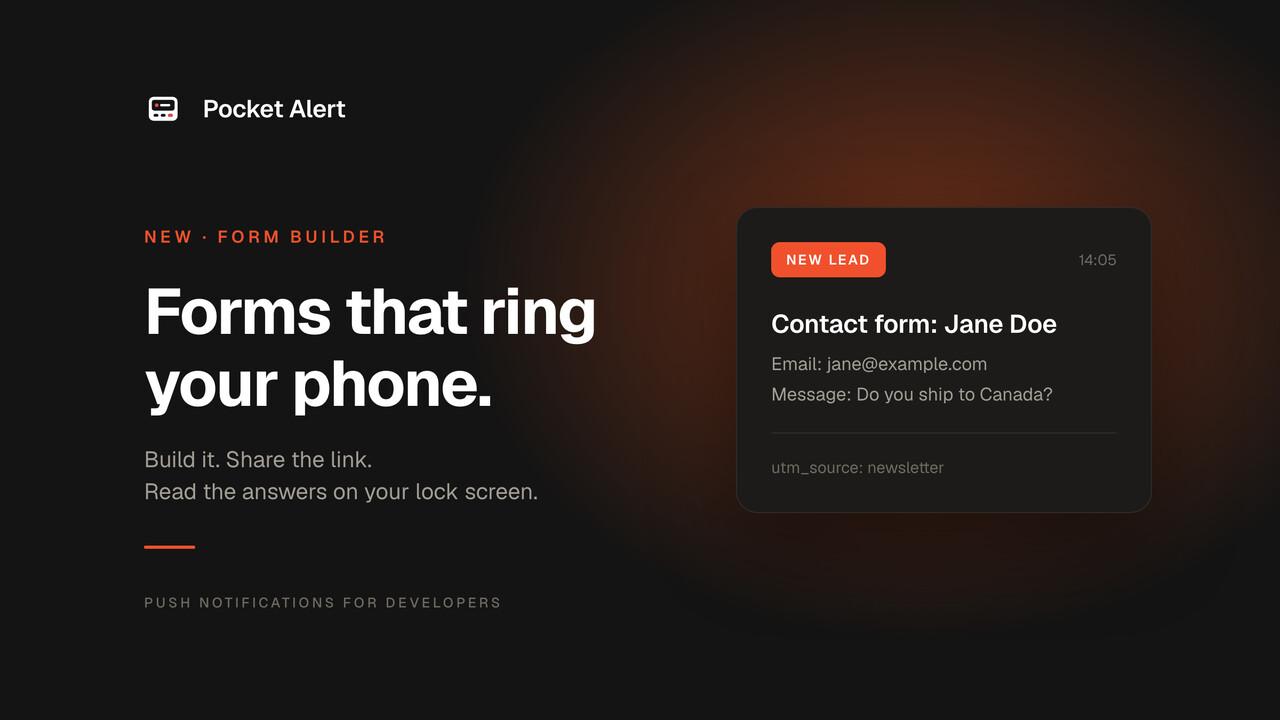
Pocket Alert has always been good at one thing: getting something from a machine to your phone, fast. Webhooks, the API, the CLI – all of them assume you already have a system that produces the event.
Forms cover the case where the event is a person.
Build a form in the dashboard, publish it at its own link or drop it into your site, and the moment somebody fills it in the answers are on your lock screen. No inbox to watch, no spam folder to lose a lead in, no automation platform in the middle.
It is live for everyone today, including the free plan.
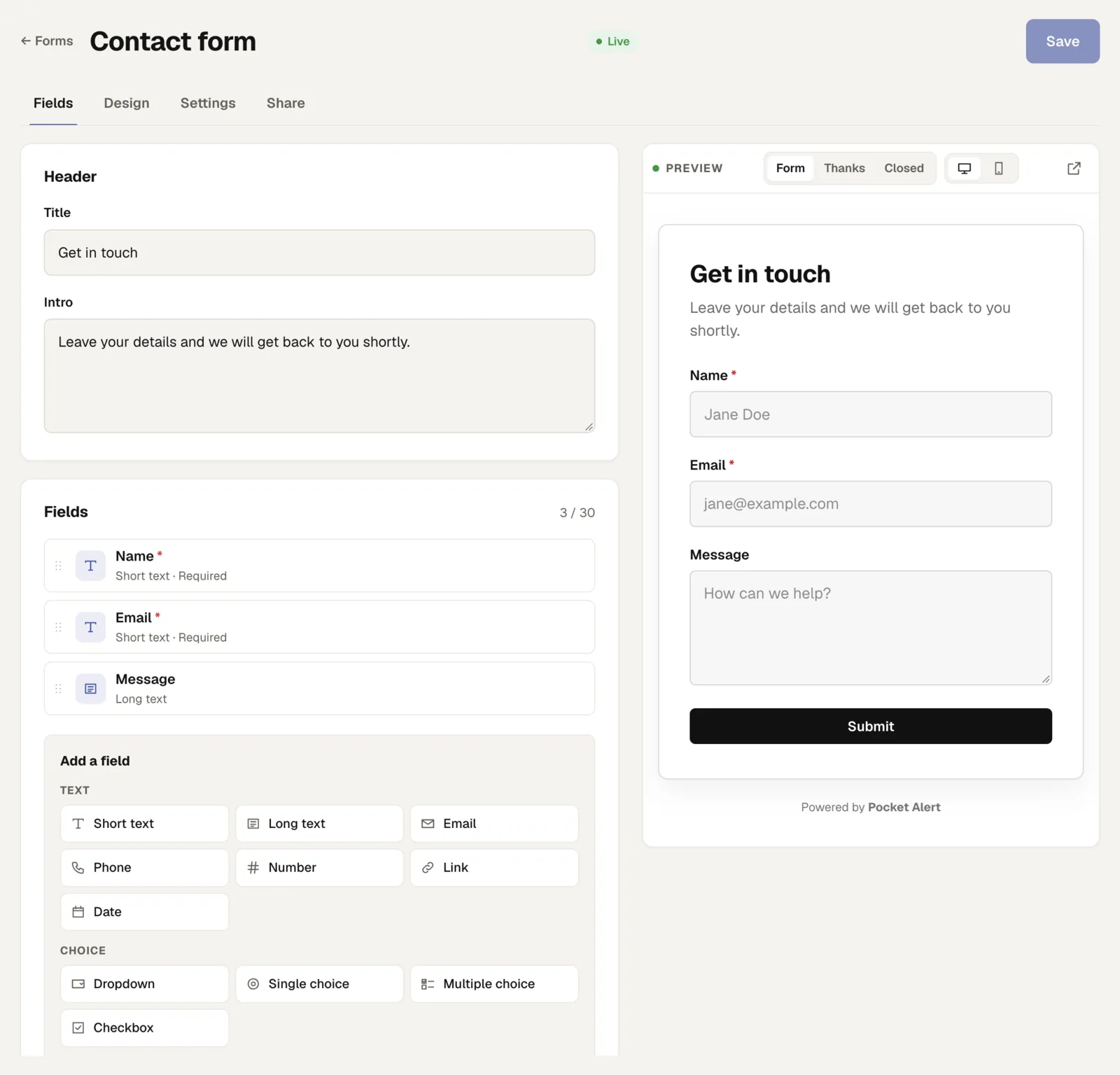
Build it and see it at the same time
The editor is one screen. Fields on the left, the actual form on the right, updating as you type. Click a field in the preview and it opens for editing. There is no publish-and-refresh loop.
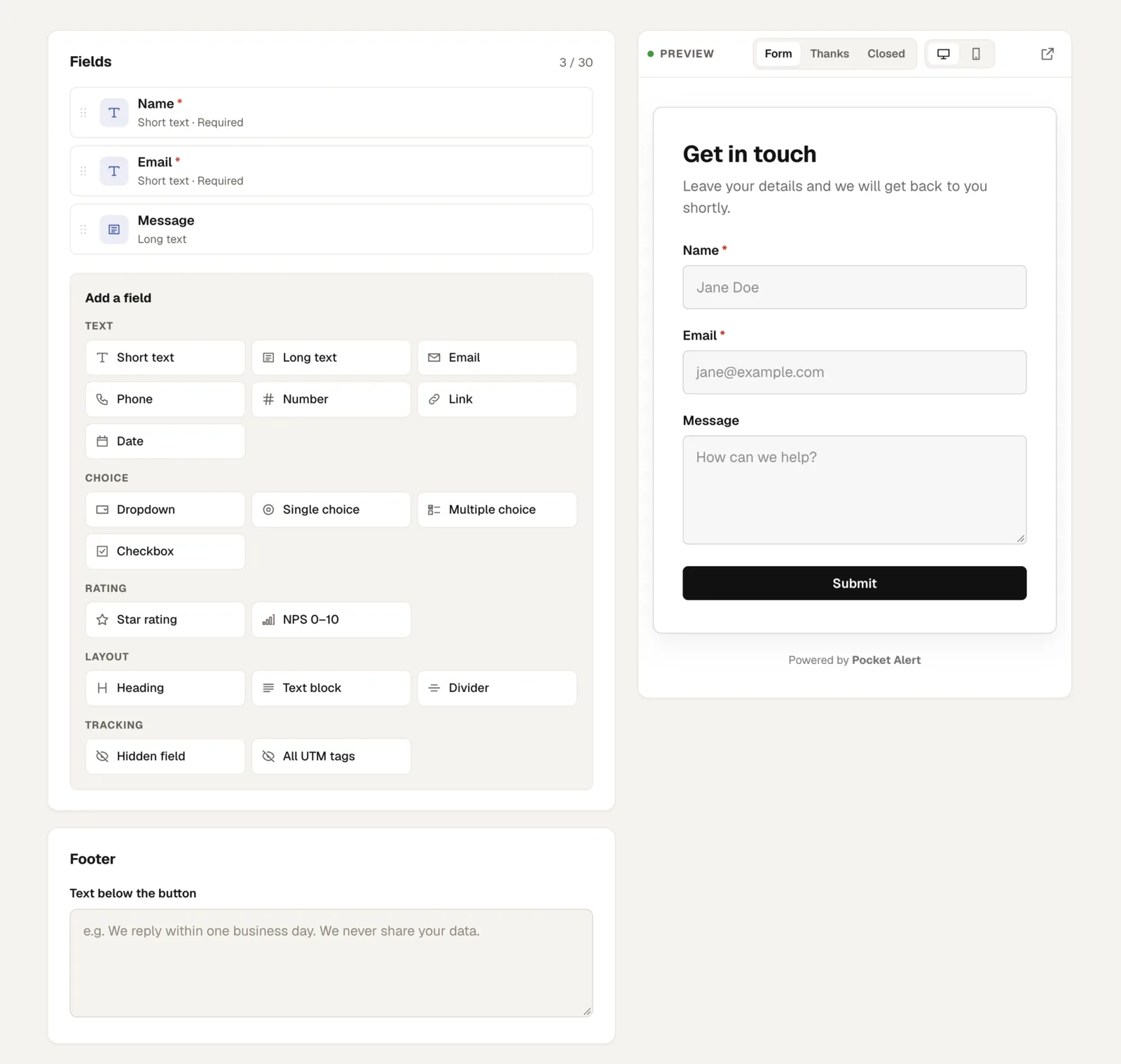
Seventeen field types: short and long text, email, phone, number, URL, date, dropdown, single and multiple choice, a consent checkbox, a 1–5 star rating and a 0–10 NPS question, plus headings, text blocks and dividers to give the page some structure. Thirty fields per form.
No file uploads, no payments, no conditional logic. If you need those, a dedicated form platform is the better tool – we would rather be excellent at the part that happens after the submit.
It should look like your site
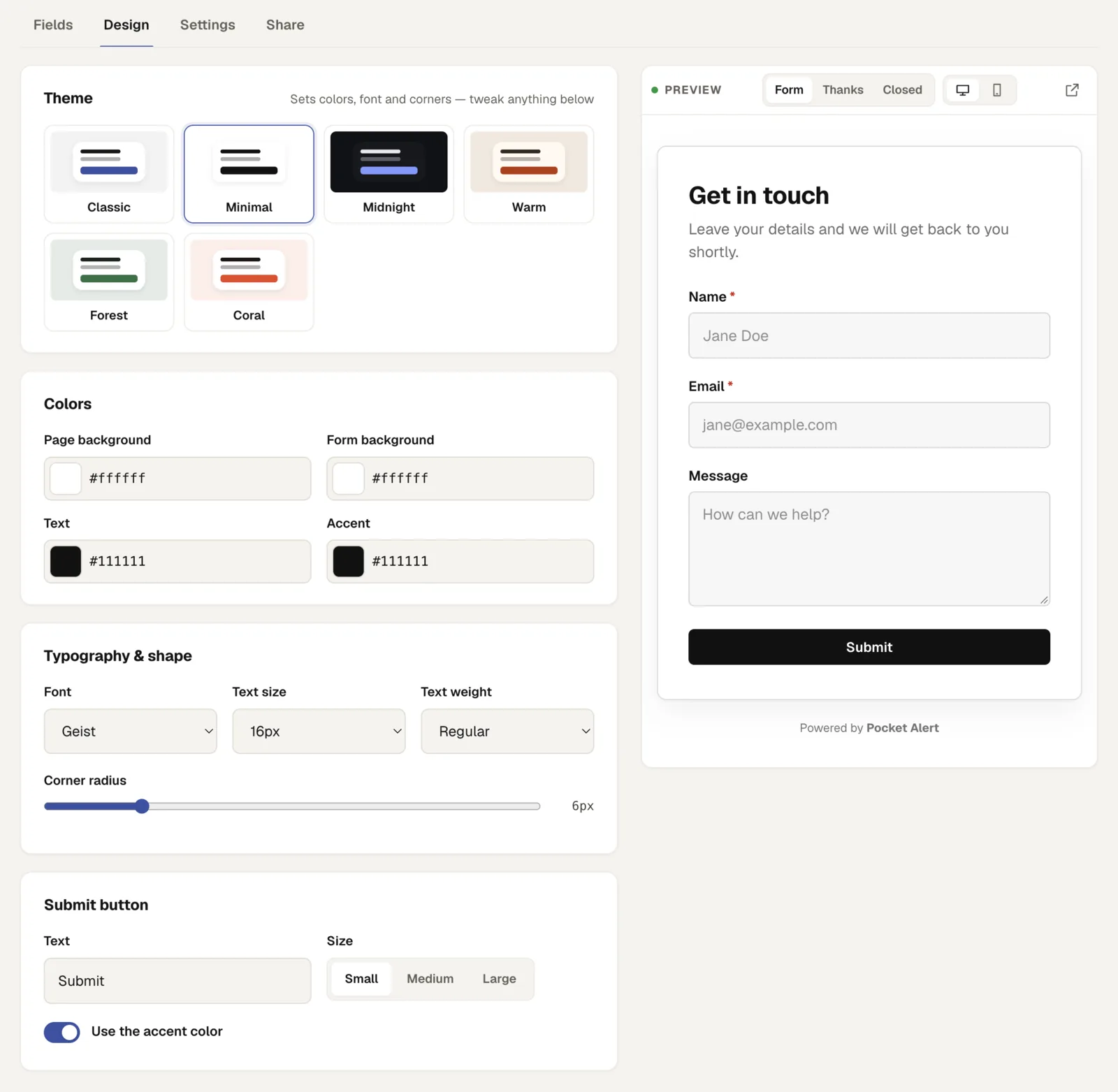
Six themes to start from, then your own page and card colours, an accent, 42 Google Fonts, text size and weight, corner radius, and the submit button's text, size and colour.
Embedded forms sit on a transparent background, so the page behind shows through and the form stops looking like a widget someone bolted on.
The notification is the point
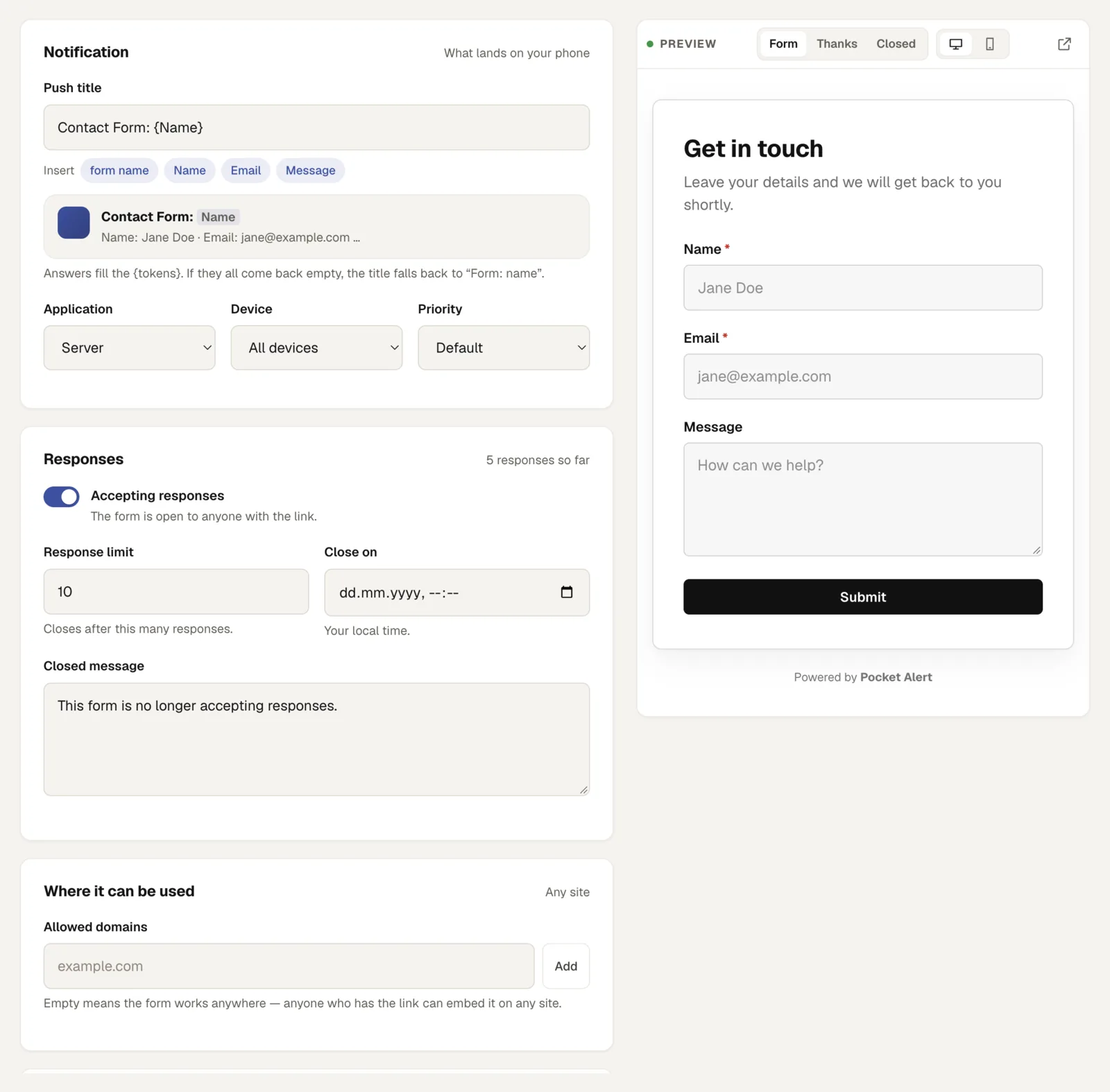
A submission becomes an ordinary Pocket Alert message, which means everything you already use applies to it: route it to a chosen application and device, give it a priority level from silent to critical, read the history in the dashboard or through the API. Content is encrypted at rest with your personal key, same as every other message.
The push title is a template. Write:
New lead: {Name} ({Email})
and the tokens are filled from the answers, so the notification is useful before you open it. Empty answers drop out; if nothing is left, it falls back to Form: <name>.
Hidden fields pick up URL parameters – utm_source, ref, a plan, a page id – from the form's own link and from the page it is embedded on. One click adds all five UTM tags. Now every lead notification tells you which campaign produced it.
Share it or embed it
Every form gets a short link on its own domain – frms.click/<id> – and a QR code that work on their own: a bio, an email signature, a poster at an event.
For a site, two lines:
<div data-pocketalert-form="your-form-id"></div>
<script src="https://frms.click/embed/form.js" async></script>
The iframe reports its own height, so the form grows with its content instead of scrolling inside a fixed box. After a response the container fires a pocketalert:submit event you can hand to your analytics.
Closing, and keeping it clean
Cap the number of responses, set a closing date and time, or switch the form off. After that visitors see the message you wrote and submissions are refused on the server – the right behaviour for limited signups, giveaways and RSVP links that keep circulating after the event.
Against bots: a honeypot field no human ever sees, and rate limits per IP and per form. Your visitors never face a CAPTCHA.
And because a form id is public by design, you can list the domains allowed to use it. Only those sites can embed the form, submissions from anywhere else are refused, and every response records the site it came from. Leave the list empty and the form works anywhere, which is what you want for a link on a poster.
Plans
One form on Free, ten on Starter, thirty on Medium, unlimited on Large. Responses are not billed separately – a submission uses one message from your daily allowance.
Start here: Forms in your dashboard · what it does · documentation
Already collecting answers somewhere else? Keep that form and point its webhook at us instead – that is form submission alerts.