Cron job monitoring with Healthchecks.io: a push on your phone when a job fails or never runs
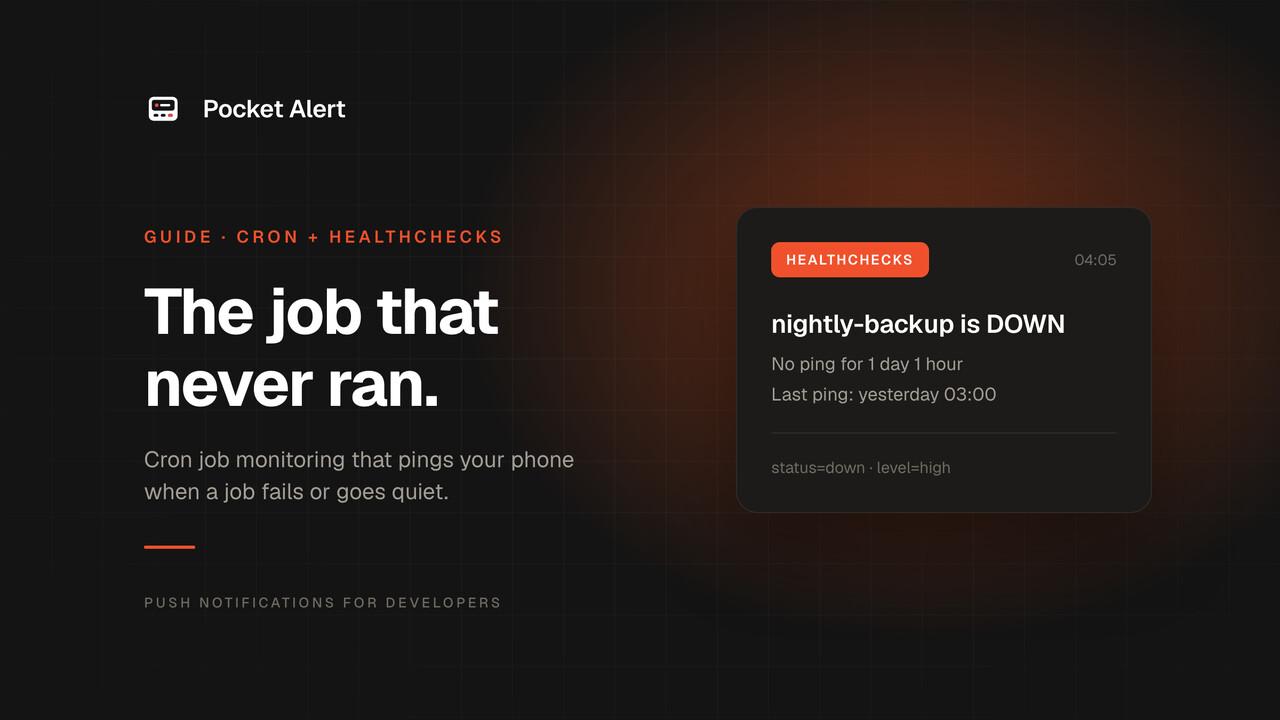
A cron job can break in two ways. It can run and fail: pg_dump can't reach the database, the disk is full. Or it can stop running at all: a crontab line gets deleted, the server is rebuilt without it, the cron daemon is dead. The first kind leaves an error somewhere. The second leaves nothing, and you find out the day you need last night's backup.
Alerting that waits for a job to say "I failed" never hears from a job that didn't start. To catch that you need the opposite setup: the job reports in every time it finishes, and something else raises the alarm when the report doesn't come.
This guide builds that with Healthchecks.io, the open-source cron monitor, and sends its alerts to your phone with Pocket Alert. Failures arrive loud, recoveries arrive quiet. Everything below was tested against the self-hosted Healthchecks v5.0.3 Docker image, and works the same on the hosted service.
What you need
- A Healthchecks account on healthchecks.io (the free Hobbyist plan monitors 20 jobs), or your own instance from the
healthchecks/healthchecksDocker image. - The Pocket Alert app on your iPhone or Android phone and an API key from API Keys. The Free plan is enough to start.
curlon the machine that runs the cron jobs.
The dead man's switch
Healthchecks calls this heartbeat monitoring, a kind of dead man's switch. Each job gets a check with a unique ping URL that the job requests when it finishes. If the next request doesn't arrive in time, the check goes down and alerts go out.
Two settings decide "in time":
- Period is how often you expect a ping: every hour, every day.
- Grace time is how long Healthchecks waits past the expected time before calling it down. Set it longer than the job usually takes, plus some slack.
For a cron job, pick the Cron schedule type instead and paste the expression from your crontab, plus the server's time zone. Healthchecks then expects pings at the right times of day, not just at the right intervals. The cron expression editor spells out what an expression means.
In our test, a check with schedule */2 * * * * and a one-minute grace time was pinged at 16:09:13. Nothing pinged it at 16:10, and the check went down at 16:11:00, exactly one grace period later.
The ping URL has a few variants:
| Request | Meaning |
|---|---|
https://hc-ping.com/<uuid> | Success. The job finished. |
https://hc-ping.com/<uuid>/start | The job started. Healthchecks now expects a success within the grace time and records the run duration. |
https://hc-ping.com/<uuid>/fail | The job failed. The check goes down immediately. |
https://hc-ping.com/<uuid>/<0-255> | An exit status. 0 counts as success, anything else as failure. |
On a self-hosted instance the base is your own domain plus /ping/, for example https://hc.example.com/ping/<uuid>.
Wire up the cron job
Create a check, copy its ping URL, and change the crontab line. We ran this under the cron daemon on Debian 13:
PING=https://hc-ping.com/your-check-uuid
15 3 * * * curl -fsS -m 10 --retry 5 -o /dev/null $PING/start; /usr/local/bin/backup.sh; curl -fsS -m 10 --retry 5 -o /dev/null $PING/$?
PING= is a crontab variable, which the shell expands in the command. The line does three things:
- It sends
/start, so a job that hangs goes down once the grace time runs out. In our test, a/startwith no follow-up turned the check down exactly one grace period later. - It runs the job.
- It sends
$?, the job's exit status. A clean run sends/0, a failed one sends/2or whatever the script returned, and the check goes down right away.
The curl flags keep the ping from causing problems of its own:
-m 10caps each request at 10 seconds. A stuck/startmust not hold up the job.--retry 5retries timeouts and 408, 429, 500, 502, 503 and 504 responses, with growing delays. One dropped packet shouldn't page you.-fsSmakes curl fail on HTTP errors and stay quiet unless something goes wrong, so cron doesn't mail you curl's progress bar.-o /dev/nullthrows away the response body, which is justOK.
If the job is a pipeline like pg_dump | gzip > dump.gz, its exit status is the status of gzip, not pg_dump. Move it into a script with set -o pipefail in bash, so a failed dump doesn't report success.
Or let runitor do it
runitor is a small Go binary that wraps a command and handles the pings: /start before, the exit status after, and the last 10,000 bytes of the command's output attached to the ping.
curl -fsSL -o /usr/local/bin/runitor https://github.com/bdd/runitor/releases/download/v1.4.1-build.6/runitor-v1.4.1-build.6-linux-amd64
chmod +x /usr/local/bin/runitor
The crontab line gets shorter:
15 3 * * * CHECK_UUID=your-check-uuid /usr/local/bin/runitor -- /usr/local/bin/backup.sh
For a self-hosted instance, add HC_API_URL=https://hc.example.com/ping. We ran runitor v1.4.1 this way under cron: a failing backup turned the check down with exit status 2, and its error output came through in the alert.
Send alerts to Pocket Alert
Healthchecks reaches Pocket Alert through its generic Webhook integration. Go to Integrations, find Webhook and click Add Integration. The form has two sections, "Execute when a check goes down" and "Execute when a check goes up", each with its own URL, method, body and headers. That split lets "down" be loud and "up" quiet.
Both sections accept placeholders: $NAME, $NAME_JSON, $STATUS, $NOW, $CODE, $SLUG, $TAGS, $EXITSTATUS, $BODY, $BODY_JSON, $JSON and a few more. For JSON bodies, mind the difference: $NAME is pasted raw, so a check called Nightly "db" backup breaks the JSON, while $NAME_JSON is a complete JSON string, quotes included. The same goes for $BODY and $BODY_JSON.
Option 1: straight to the API
In the down section, choose POST and the URL https://api.pocketalert.app/v1/messages. Request headers, one per line:
Content-Type: application/json
Token: YOUR_API_KEY
Request body:
{
  "title": $NAME_JSON,
  "message": "DOWN since $NOW. Exit status of the last ping: $EXITSTATUS",
  "level": "high",
  "actions": [{"type": "view", "label": "Open check", "value": "https://healthchecks.io/checks/$CODE/details/"}]
}
In the up section, the same method, URL and headers, and a quieter body:
{
  "title": $NAME_JSON,
  "message": "Back up at $NOW",
  "level": "low"
}
Click Save Integration. A new integration is attached to all existing checks in the project. This is what Healthchecks sent when our test check failed:
{
  "title": "Nightly \"db\" backup",
  "message": "DOWN since 2026-10-31T16:15:01+00:00. Exit status of the last ping: 2",
  "level": "high",
  "actions": [{"type": "view", "label": "Open check", "value": "https://healthchecks.io/checks/a4b72803-3a50-4b81-b33f-88dd2200ffc2/details/"}]
}
Some notes on this body:
highis time-sensitive. It breaks through Focus and the scheduled summary. On a paid plan, change it tocriticaland a dead backup job wakes you through the silent switch and Do Not Disturb. On the Free plancriticalis accepted and delivered ashigh.lowfor recoveries. "Back up" lands in the feed without a sound. You want to know, but not at 3 a.m.$EXITSTATUStells failed from missing. It is the exit status of the last ping before the alert.2means the job ran and returned 2. A down with0means the last run succeeded and the next one never came.-1means the last ping carried no exit status: a plain success URL,/failor/start.- The button opens the check in Healthchecks. For a self-hosted instance, put your own domain in the URL. Action buttons are a paid feature; on the Free plan they are removed and the message itself is delivered as usual.
Option 2: a Pocket Alert webhook with a template
The second way sends a small JSON document to a Pocket Alert webhook, which formats the push. Its advantage: it can include the job's output.
Open Webhooks in the Pocket Alert console, create one named Healthchecks, and set the message template:
%name% is %status% since %time%
%log%
Leave Default priority unselected, because the payload carries its own level. Copy the webhook URL, which looks like https://p4a.me/wh/abc123xyz. The URL is the secret, so treat it like a password.
In Healthchecks, create the webhook integration with that URL as POST in both sections, the header Content-Type: application/json, and these bodies. Down:
{"name": $NAME_JSON, "status": "$STATUS", "time": "$NOW", "code": "$CODE", "log": $BODY_JSON, "level": "high"}
Up:
{"name": $NAME_JSON, "status": "$STATUS", "time": "$NOW", "code": "$CODE", "log": $BODY_JSON, "level": "low"}
$BODY_JSON is the body of the last ping, which is where runitor puts the job's output. When the runitor-wrapped backup failed in our test, the push read:
Webhook Healthchecks
DB backup (runitor) is down since 2026-10-31T16:15:02+00:00
dumping appdb
pg_dump: error: connection to server on socket failed: No such file or directory[runitor] exit status 2
Pocket Alert reads the top-level level field of an incoming payload, so high and low work as in Option 1. Without runitor, $BODY_JSON is an empty string and the second line is blank. The API can't do this: $BODY_JSON is a complete JSON string, so it can only be the whole message, and when the ping had no body that message is empty and the API rejects it.
Two other differences: the push title is always Webhook <name>, so the check name goes into the message, and webhook buttons are set through the actions field of the webhooks API, not the console form.
Test it
On the Healthchecks Integrations page, every integration has a Test! button. It sends a "down" notification for a check named TEST, which arrives as a high push. Then run a job that exits with 1 and watch the real alert arrive.
Without Healthchecks: a wrapper that pushes on failure
If you don't want another service, a short wrapper covers the most common case, a job that exits with an error. Save it as /usr/local/bin/cron-alert:
#!/bin/sh
# Usage: cron-alert <job name> <command> [args...]
name="$1"
shift

log=$(mktemp)
"$@" >"$log" 2>&1
status=$?

if [ "$status" -ne 0 ]; then
  curl -fsS -m 10 --retry 3 --retry-max-time 30 -o /dev/null \
    -H "Token: $POCKETALERT_API_KEY" \
    --form-string "title=Cron failed: $name on $(hostname)" \
    --form-string "message=Exit status $status. $(tail -c 2000 "$log")" \
    --form-string "level=high" \
    "${POCKETALERT_API_URL:-https://api.pocketalert.app/v1/messages}"
fi

cat "$log"
rm -f "$log"
exit "$status"
And in the crontab:
POCKETALERT_API_KEY=your-api-key
15 3 * * * /usr/local/bin/cron-alert "nightly backup" /usr/local/bin/backup.sh
Some deliberate choices:
--form-stringinstead of JSON. The API accepts multipart form data, and--form-stringsends the output as-is, quotes and newlines included, with nojqor escaping. Plain-Fwould treat a value starting with@or<as a file.tail -c 2000keeps the end of the output, where the error usually is.--retry-max-time 30matters. Over the daily message limit, the API answers429with aRetry-Afterof the seconds until midnight UTC, and curl's--retryhonors it. In our test, without this flag curl sat waiting onRetry-After: 30000until we killed it. With it, curl gives up after one attempt.- The wrapper keeps the exit status and prints the output, so cron logs and
MAILTOstill work as before.
It passes shellcheck, and under cron on Debian 13 the failing backup arrived as "Cron failed: nightly backup on" plus the hostname, with the pg_dump error in the text.
Be clear about what this can't do. The wrapper only runs when cron runs it. If the crontab line is deleted, the daemon is down or the machine is off, nothing is sent: the silent failure from the start of this article. A job that hangs forever goes unnoticed too. For those you need something outside the machine waiting for a heartbeat, which is what Healthchecks is for. The Pocket Alert CLI can replace the curl call if you prefer.
Honest limits
- Healthchecks has to be up to notice. On the hosted service that's their job. If you self-host it on the same box as the cron jobs, a dead box takes the monitor down with it. Run it somewhere else.
- The body template is limited to 1,000 characters in Healthchecks. That is plenty for the bodies above, but not for a long hand-written message.
- Long output is cut in the push. The push carries roughly the first 3 KB of the message; the full text is in the message history in the app.
- Each alert is one message. A flapping job that goes down and up every few minutes sends a push every time, and on the Free plan's 50 messages a day that adds up. Fix the job, or raise the grace time.
If nothing arrives
- Use the Test! button first. If the test arrives but real alerts don't, check that the integration is enabled for that check on the check's page.
- Look at the Integrations page in Healthchecks. A failing integration is marked Failed there; hover over it to see the last error, such as
Received status code 401. A401means theTokenheader is wrong. A400usually means the body isn't valid JSON: check that you used$NAME_JSONwithout quotes around it, and not"$NAME". - A new check doesn't alert until its first ping. Until then it is "new", not "down".
- Check the time zone of cron checks. If a check is always an hour early or late, the server's time zone doesn't match the one on the check.
- Look in the feed.
lowpushes make no sound, so a recovery can look like it never arrived.
FAQ
Should I use the API route or the webhook route?
The API route puts the check name in the push title and needs nothing created in Pocket Alert. The webhook route can include the job's output, so with runitor, take the webhook.
Can I get only the "down" alerts?
Yes. Use a quiet low body for "up", as above, or leave the "up" URL empty and Healthchecks sends nothing on recovery.
What about systemd timers?
Same idea. Healthchecks has an OnCalendar schedule type that takes the same expressions as your timer. Send /start from ExecStartPre, or wrap the ExecStart command in runitor.
Where can I read more about cron alerts?
The cron job alerts page covers sending a push from the job itself, backup alerts covers backup tools, and the Proxmox guide covers backups on a hypervisor.
Create a free account, add one webhook integration in Healthchecks, and let the job that quietly stopped running be the one that wakes you up.