Proxmox notifications on your phone: backups, fencing, replication and disk errors
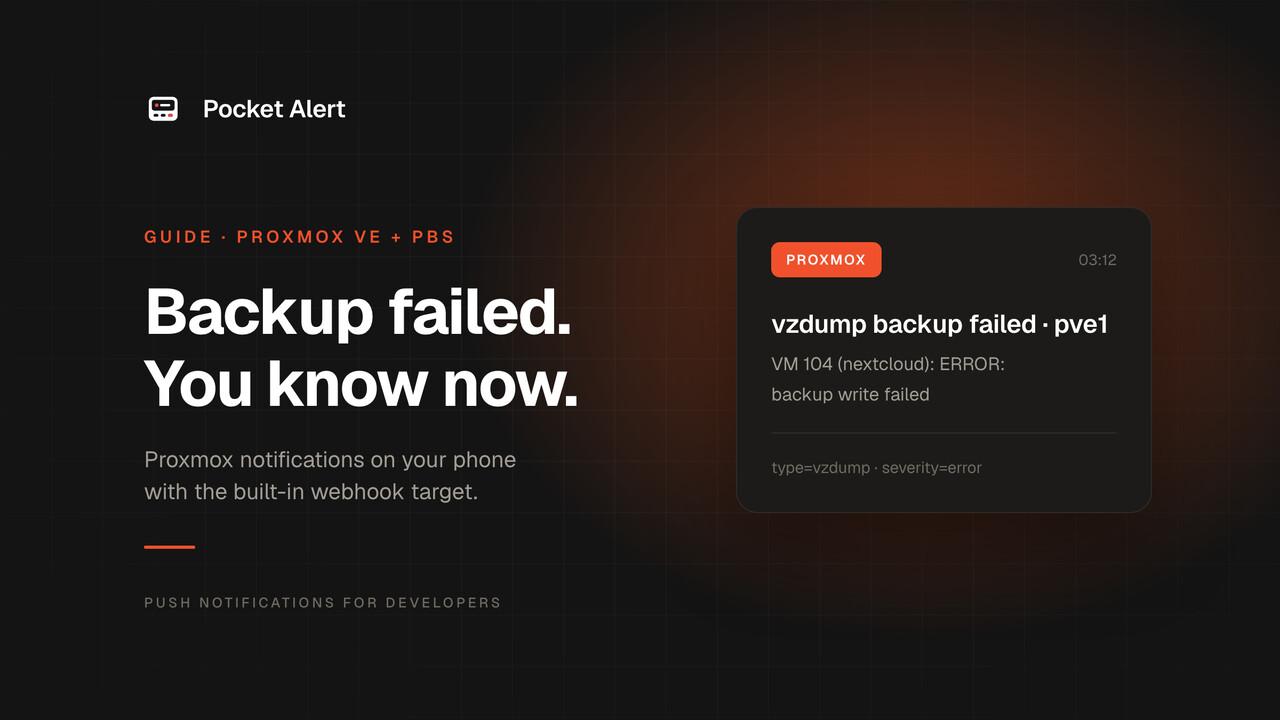
Most Proxmox hosts send their notifications to root@pam, which means an email address typed into the installer years ago, delivered by a Postfix that was never given a relay. The nightly backup fails, a mail goes into a local queue, and you find out three weeks later when you need to restore a VM.
The other common setup works but gets ignored. Every backup job sends a long email every night, all of them say "successful", and the one that says "failed" looks exactly like the other thirty in the folder.
Since Proxmox VE 8.3 and Proxmox Backup Server 3.3, the notification system has a generic webhook target. It can call any HTTP API with a body you write yourself, so it can send a push straight to your phone, with a different priority for failures and successes. No script on the host and no relay to maintain.
What you need
- Proxmox VE 8.3 or newer (any 9.x works), or Proxmox Backup Server 3.3 or newer. Older versions are covered further down.
- The Pocket Alert app on iPhone or Android and an API key from API Keys.
- Access to Datacenter → Notifications as
root@pamor a user withMapping.Modifyon/mapping/notifications.
What Proxmox can tell you
Proxmox VE emits these events, each with a type, a severity and a few metadata fields:
| Event | type | Severity |
|---|---|---|
| Backup succeeded | vzdump | info |
| Backup failed | vzdump | error |
| Storage replication job failed | replication | error |
| Cluster node fenced | fencing | error |
| System updates available | package-updates | info |
| Mail for root (smartd, ZFS ZED and others) | system-mail | unknown |
The last row matters more than it looks. smartd checks your disks every 30 minutes and mails root when one starts failing, and the ZFS event daemon mails root about degraded pools and scrub errors (ZED_EMAIL_ADDR="root" is the default). Proxmox turns those mails into system-mail events, so the same webhook that reports backups also reports a dying disk.
Set up the webhook target
In the web UI, go to Datacenter → Notifications, and under Notification Targets click Add → Webhook. Fill it in like this:
- Endpoint Name:
pocketalert - Method/URL:
POSTandhttps://api.pocketalert.app/v1/messages - Headers:
Content-Type=application/json, andToken={{ secrets.token }} - Secrets:
token= your Pocket Alert API key
And the Body:
{
  "title": {{ json title }},
  "message": {{ json message }},
  "level": "{{#if (or (eq severity "error") (eq severity "unknown"))}}high{{else}}low{{/if}}"
}
A few things are going on here:
{{ json title }}renders the value as a complete JSON string, quotes included. Backup reports are multi-line tables, and pasting{{ message }}between quotes would break the JSON on the first newline. Proxmox also has{{ escape message }}, which does the same thing without the surrounding quotes.- The key is a secret. Secrets are stored in
/etc/pve/priv/notifications.cfg, readable only by root, and the API never returns their values. Proxmox also masks them in its error messages. - The level follows the severity. Proxmox renders the body with Handlebars, which has
if,eqandor. Failed backups, failed replication, fencing and disk mails arrive ashigh, which breaks through Focus on iPhone. Successful backups and update notices arrive aslow: they are in the feed if you want them, and they don't buzz.
Save the target and click Test. A test notification should arrive within a few seconds.
The target does nothing until a matcher routes events to it. Under Notification Matchers, click Add, name it pocketalert-all, and on the Targets to notify tab tick pocketalert. A matcher without rules matches every event.
The same thing from the shell
If you prefer the CLI, or manage several clusters, pvesh does the same. Header values, the body and secrets are passed base64-encoded:
PA_KEY='your-api-key'
BODY='{
  "title": {{ json title }},
  "message": {{ json message }},
  "level": "{{#if (or (eq severity "error") (eq severity "unknown"))}}high{{else}}low{{/if}}"
}'
b64() { printf '%s' "$1" | base64 -w0; }

pvesh create /cluster/notifications/endpoints/webhook \
  --name pocketalert --method post \
  --url https://api.pocketalert.app/v1/messages \
  --header "name=Content-Type,value=$(b64 application/json)" \
  --header "name=Token,value=$(b64 '{{ secrets.token }}')" \
  --secret "name=token,value=$(b64 "$PA_KEY")" \
  --body "$(b64 "$BODY")"

pvesh create /cluster/notifications/matchers --name pocketalert-all --target pocketalert
pvesh create /cluster/notifications/targets/pocketalert/test
The result lands in /etc/pve/notifications.cfg, which is shared across the cluster, so one setup covers every node (the base64 body is shortened here):
webhook: pocketalert
	method post
	url https://api.pocketalert.app/v1/messages
	header name=Content-Type,value=YXBwbGljYXRpb24vanNvbg==
	header name=Token,value=e3sgc2VjcmV0cy50b2tlbiB9fQ==
	body ewogICJ0aXRsZSI6IHt7IGpzb24gdGl0bGUgfX0s...

matcher: pocketalert-all
	target pocketalert
The key itself sits in /etc/pve/priv/notifications.cfg as secret name=token,value=<base64>.
Second level: a fenced node should wake you up
A failed backup can wait until morning. A fenced node means HA just killed a host, and that is worth a critical push that gets through Do Not Disturb. Matchers can do this without touching the body template.
Create a second webhook target, pocketalert-critical, identical to the first except for one line of the body:
"level": "critical"
Then replace the catch-all matcher with two that split on the event type:
matcher: pocketalert-all
	match-field exact:type=fencing
	invert-match true
	target pocketalert

matcher: pocketalert-fencing
	match-field exact:type=fencing
	target pocketalert-critical
invert-match flips the first matcher, so fencing goes only to the critical target and you don't get two pushes for one event. critical delivery through Do Not Disturb is a paid-plan feature; on the Free plan it arrives as high. See priority levels for what each level does on iOS and Android.
More things matchers are good for:
- Failures only. Add
match-severity error,unknowntopocketalert-alland successful backups stop sending anything. We'd keep them aslow: a quiet "backup successful" every night is the easiest way to notice when it stops arriving. - One job.
match-field exact:job-id=backup-abc123limits a matcher to one scheduled job. Backups started with Run now have nojob-id, so they won't match. - Quiet hours.
match-calendar mon..fri 9-17limits a matcher to working hours, andinvert-matchgives you the rest.
A button that opens the web UI
Pocket Alert pushes can carry up to three action buttons. Add one to the body and a failed backup opens the Proxmox UI in one tap:
  "actions": [
    {"type": "view", "label": "Open Proxmox", "value": "https://pve1.lan:8006"}
  ]
The phone opens the URL itself, so a local address works whenever you are on your home network or VPN.
Proxmox Backup Server
PBS 3.3 and newer have the same notification system under Configuration → Notifications, with the same webhook target, the same body and the same Handlebars helpers. Its configuration lives in notifications.cfg and notifications-priv.cfg under /etc/proxmox-backup/.
The events are different and more useful for a backup server: garbage collection (gc), prune, sync, verification, tape-backup and tape-load, plus acme certificate renewal failures and package-updates. acme only reports failures and tape-load is a notice; the rest come in info and error versions, so the same if in the body works unchanged. The datastore events (gc, prune, sync, verification, tape-backup) also carry a datastore field, so match-field regex:datastore=^offsite-.*$ can send offsite datastores to a different target.
Two PBS details to check. Datastores created before the notification system have a notification-mode that may still be legacy-sendmail; switch it to the notification system in the datastore options. And PBS only sends package-updates notifications on hosts with an active subscription.
Honest limits
- The host has to be online to report. The webhook is sent by the Proxmox host itself, so if it has lost its uplink or is powered off, nothing goes out. For "the whole box is down", you need a check from outside, like an uptime monitor on another machine.
- Long backup reports are cut in the push. A backup of twenty guests produces a long table. The push shows roughly the first 3 KB; the full text is in the message history in the app.
system-mailis everything mailed to root. That includes smartd and ZFS, but also cron output and anything else that mails root on your system. If it gets noisy, give those events their own matcher withmatch-field exact:type=system-mailand a quieter target.- No Gotify compatibility. Proxmox also has a built-in Gotify target, and older guides use it for phone pushes. Pocket Alert does not implement the Gotify API, so that target can't point at us. Use the webhook target above, or see how Pocket Alert compares to Gotify.
On Proxmox VE 8.2 and older
Upgrading is the best fix, since the webhook target needs 8.3. If you can't upgrade yet, a vzdump hook script covers the most important case, backups. Install the Pocket Alert CLI on the node as root, run pocketalert auth, and save this as /usr/local/bin/vzdump-pocketalert:
#!/bin/sh
case "$1" in
  backup-abort) pocketalert send -t "Backup failed: $3 on $(hostname)" -m "Mode: $2" -l high ;;
  job-end)      pocketalert send -t "Backup job finished on $(hostname)" -m "Check the task log for details" -l low ;;
esac
exit 0
Make it executable and add script: /usr/local/bin/vzdump-pocketalert to /etc/vzdump.conf. vzdump calls it at each phase; for backup-abort the second and third arguments are the backup mode and the VM ID.
If nothing arrives
- Run Test first. If the test push arrives but real events don't, the target is fine and the problem is routing: check that a matcher names the target and that its rules match.
- Look at the backup job's notification mode. A job with an email address in its notification settings and the default mode
autouses legacy sendmail and skips the notification system entirely. Clear the address or set the mode to the notification system; in/etc/pve/jobs.cfgit isnotification-mode notification-system. - Read the journal.
journalctl --since "1 hour ago" | grep -i notifshows failed requests. A401means the key is wrong, a400usually means the body is not valid JSON: check that you used{{ json message }}and not a bare{{ message }}. - Check the feed in the app.
lowpushes don't make a sound, so a successful backup can look like it never arrived. It's there in the message history.
FAQ
Do I need a Proxmox subscription?
No. The notification system and the webhook target are part of the free repositories. The only subscription-dependent piece is the PBS package-updates notification.
Does this work for a single node without a cluster?
Yes. A single node reads the same /etc/pve/notifications.cfg. In a cluster the file is shared, so you set it up once.
Can I get these as email too?
Yes. Keep the default mail-to-root target in its matcher and add pocketalert next to it. A matcher can notify several targets, and each target gets a notification at most once.
How many pushes will this use?
One per event. A nightly backup job is one notification for the whole job, not one per guest, so a typical homelab sends a few a day. The Free plan covers 50 messages a day on one device.
What about TrueNAS, UPS power events or Uptime Kuma?
Same idea, different sender. The homelab alerts page covers the usual pieces of a home server rack, and backup alerts covers backup tools outside Proxmox.
Create a free account, paste the body into a webhook target, and let the next failed backup find you instead of your inbox.