Supabase push notifications: a push on your phone for every new signup or order
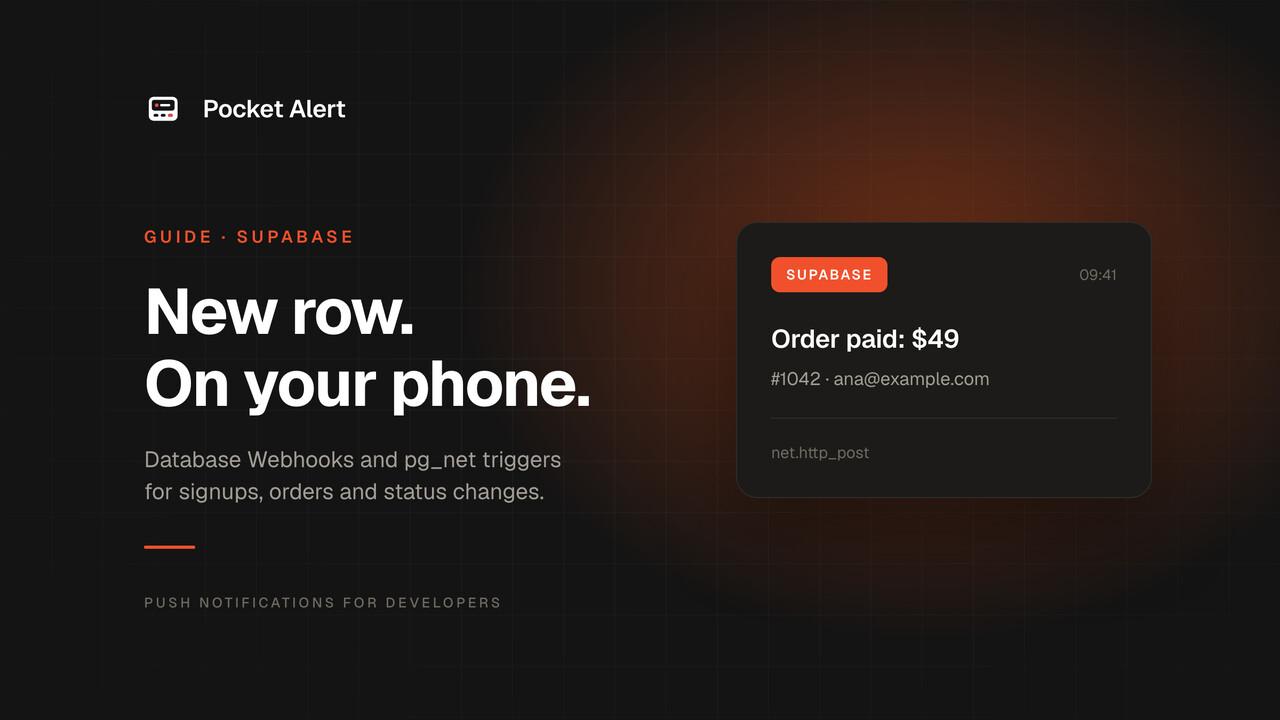
Your app runs on Supabase, and the moments you care about are rows: a new user in auth.users, a new order in orders, a subscription that flips to canceled. You find out about them when you open the Table Editor, which on a good day is in the evening and on a busy day is next week.
Supabase can tell you sooner. Every table can call a URL when a row is inserted, updated or deleted. Point that call at Pocket Alert and each event becomes a push on your phone, with the email or order total in the text.
This guide is about notifying you, the founder or admin. If you want to send pushes to your app's own users, that is a job for FCM, APNs or Expo, and a different article.
What you need
- A Supabase project you can open in the dashboard.
- A Pocket Alert account and the app on your iPhone or Android phone. The Free plan is enough to start.
If you built your app with Lovable and connected your own Supabase project, everything below applies. On Lovable Cloud (the built-in backend) there is no Supabase dashboard, so Level 1 has nowhere to go. Its SQL editor (Database → Manage → SQL editor) does support pg_net and Vault, so the Level 2 triggers are the route to try there.
Level 1: a Database Webhook, no code
Supabase Database Webhooks send an HTTP request after a row changes in a table. Pocket Alert webhooks receive JSON and turn it into a push. Connecting the two takes a few minutes and no code.
Create the Pocket Alert webhook
Open Webhooks in the Pocket Alert console and create one:
- Name:
Supabase. The push title is alwaysWebhook <name>, so this one arrives as "Webhook Supabase". Use a more specific name, likeSupabase signups, if you plan to have several. - Message: the template, covered below.
Copy the URL the console shows. It looks like https://p4a.me/wh/abc123xyz. The slug at the end is the only secret, so treat the whole URL like a password.
Create the Supabase webhook
In the Supabase dashboard, open your project and go to Integrations → Database Webhooks (older guides call it Database → Webhooks). If the integration is not enabled yet, enable it first; it creates the trigger function the webhooks use. Then create a new webhook:
- Give it a name, for example
notify_new_order. - Pick the table, for example
orders. - Tick the events. For "new row" alerts, tick only Insert.
- Choose HTTP Request as the type, method
POST, and paste the Pocket Alert URL. - Leave the
Content-Type: application/jsonheader as it is. Pocket Alert only accepts JSON bodies.
Save. From now on, every insert into orders sends a request after the row is written. Supabase builds these requests with the pg_net extension, which is asynchronous, so a slow network call never holds up the insert itself.
What Supabase sends
The body has the same shape for every table:
{
  "type": "INSERT",
  "table": "orders",
  "schema": "public",
  "record": { "id": 1042, "email": "[email protected]", "total": 49, "status": "pending" },
  "old_record": null
}
record is the new row with all its columns. For UPDATE, old_record holds the row as it was before; for DELETE, record is null and only old_record is filled.
The message template
Back in the Pocket Alert webhook, write the message with %path% placeholders pointing into that JSON:
New %table% row: #%record.id% · %record.email% · $%record.total%
The next order arrives as:
Webhook Supabase
New orders row: #1042 · [email protected] · $49
Use any column your table has: %record.plan%, %record.country%, %record.status%. A * instead of a template sends the whole JSON, which helps while you are figuring out the column names.
The same form has a default level. Set high on an orders webhook so it gets through Focus on iPhone, or low on a busy table you only want in the history. Supabase's payload has no level field, so the webhook's default decides.
Signups from auth.users
Supabase stores users in auth.users, and the Database Webhooks table picker can select it: integrations such as Loops document exactly that setup. Choose the users table in the auth schema, tick Insert, and use:
New signup: %record.email%
If the auth tables don't appear in your picker, or you would rather keep the logic in SQL, the trigger in the next section works on auth.users too.
Where Level 1 stops
A Database Webhook has no condition. Tick Update on orders and you get a push every time any column changes: the status, the shipping address, an updated_at touched by a background job. The template can't skip a request; it only formats it. On a busy table that is noise at best, and at worst it eats the 50 messages a day of the Free plan before lunch.
For "tell me when an order becomes paid" or "tell me when a subscription is canceled", you need a filter, and Postgres already has one.
Level 2: a trigger with pg_net and a WHEN condition
A Database Webhook is a trigger that calls pg_net for you. Writing the trigger yourself gets you two things: a WHEN clause, so Postgres only fires on the changes you care about, and full control over the request, so you can call the Pocket Alert API directly with your own title, level and buttons.
Store the API key in Vault
Get an API key from API Keys and store it in Supabase Vault from the SQL Editor. Run this once, outside your migrations, so the key never ends up in a file:
select vault.create_secret('YOUR_POCKETALERT_API_KEY', 'pocketalert_key');
Make sure pg_net is enabled under Database → Extensions. Projects with Database Webhooks already have it.
The function and the trigger
This sends a push only when an order's status changes to paid:
create or replace function public.notify_order_paid()
returns trigger
language plpgsql
security definer
set search_path = ''
as $$
begin
  perform net.http_post(
    url := 'https://api.pocketalert.app/v1/messages',
    headers := jsonb_build_object(
      'Content-Type', 'application/json',
      'Token', (select decrypted_secret from vault.decrypted_secrets where name = 'pocketalert_key')
    ),
    body := jsonb_build_object(
      'title', 'Order paid: $' || new.total,
      'message', '#' || new.id || ' · ' || coalesce(new.email, 'no email'),
      'level', 'high',
      'actions', jsonb_build_array(jsonb_build_object(
        'type', 'view',
        'label', 'Open orders',
        'value', 'https://supabase.com/dashboard/project/YOUR_PROJECT_REF/editor'
      ))
    )
  );
  return new;
end;
$$;

create trigger on_order_paid
after update of status on public.orders
for each row
when (old.status is distinct from new.status and new.status = 'paid')
execute function public.notify_order_paid();
What each part does:
when (...)is the filter Level 1 was missing. Postgres doesn't even call the function unless the status actually changed and the new value ispaid. Edits to other columns cost nothing.security definerlets the function read Vault. The roles that write rows from your app, such asauthenticated, can't, and without it their updates would fail with a permission error. This is the pattern from the Supabase docs.net.http_postqueues the request and returns at once; it is sent after the transaction commits. If the update rolls back, no push goes out.leveldecides how loudly it lands:defaultfor routine events,highto break through Focus,criticalfor the ones that should wake you. Critical is a paid feature; on the Free plan it is delivered ashigh.
Copy the function for other events and change the condition: new.status = 'canceled' on subscriptions, new.total > 500 on an insert trigger for large orders, new.role = 'admin' on profiles.
Signups via a trigger on auth.users
The same pattern on auth.users, with the sign-in provider in the text:
create or replace function public.notify_new_signup()
returns trigger
language plpgsql
security definer
set search_path = ''
as $$
begin
  perform net.http_post(
    url := 'https://api.pocketalert.app/v1/messages',
    headers := jsonb_build_object(
      'Content-Type', 'application/json',
      'Token', (select decrypted_secret from vault.decrypted_secrets where name = 'pocketalert_key')
    ),
    body := jsonb_build_object(
      'title', 'New signup',
      'message', coalesce(new.email, 'no email') || ' via ' || coalesce(new.raw_app_meta_data ->> 'provider', 'unknown')
    )
  );
  return new;
end;
$$;

create trigger on_auth_user_created_notify
after insert on auth.users
for each row execute function public.notify_new_signup();
Supabase warns that a failing trigger on auth.users can block signups. The coalesce calls keep a missing value from breaking the string, and the request itself is asynchronous, so a slow or failed push doesn't get in the way of the signup. Still, test it once with a throwaway account before you rely on it.
Or an Edge Function
If you prefer TypeScript to PL/pgSQL, keep the Database Webhook from Level 1, set its type to Supabase Edge Functions, and add the secret key header the form offers. The function gets the same {type, table, record, old_record} payload and decides for itself. Supabase's pattern for calls with the secret key is the withSupabase wrapper with auth: 'secret', plus verify_jwt = false for the function in supabase/config.toml:
import { withSupabase } from "npm:@supabase/server@1";

export default {
  fetch: withSupabase({ auth: "secret" }, async (req) => {
    const { type, record, old_record } = await req.json();
    if (type !== "UPDATE" || record.status === old_record.status) {
      return new Response("skipped");
    }

    await fetch("https://api.pocketalert.app/v1/messages", {
      method: "POST",
      headers: {
        "Content-Type": "application/json",
        Token: Deno.env.get("POCKETALERT_API_KEY")!,
      },
      body: JSON.stringify({
        title: `Order #${record.id}: ${record.status}`,
        message: `${record.email} · $${record.total}`,
        level: record.status === "refunded" ? "high" : "default",
      }),
    });
    return new Response("ok");
  }),
};
Set the key with supabase secrets set POCKETALERT_API_KEY=.... The trade-off: the webhook still fires on every update, and the function filters afterwards, so you pay an invocation per change. The WHEN trigger filters before anything runs.
Honest limits
- No signature check. Pocket Alert doesn't verify where a webhook request came from; the URL slug is the secret. If that matters, use the Level 2 trigger, which authenticates with your API key.
- The key sits briefly in a queue table. Supabase notes that
pg_netkeeps the decrypted header innet.http_request_queueuntil the request goes out, and any role that can log in to the database can read it there. - pg_net is best effort. Requests live in unlogged tables, so a crash at the wrong moment can lose one. Fine for "tell me about it", not for billing.
- Volume. A trigger on a table that gets thousands of writes an hour will send thousands of pushes unless the condition is tight. The Free plan allows 50 messages a day.
If nothing arrives
- Check the Pocket Alert webhook history. Every request to the webhook URL is logged in the console with its headers, body, the rendered message and the status. If the request is there, Supabase did its part and the problem is the template. If it isn't, look at Supabase.
- Check what pg_net got back. Responses are kept for six hours:
select status_code, content, error_msg, created
from net._http_response
order by created desc
limit 10;
A 401 means the API key in Vault is wrong; a 400 usually means the body isn't valid JSON or a field is missing.
- Check the trigger condition. Run an update by hand that should match, like
update orders set status = 'paid' where id = 1042;, and look atnet._http_responseagain. - Check the event. A webhook that only listens to Insert won't fire on updates, and on
DELETEthe%record.*%placeholders are empty because the row is inold_record.
FAQ
Is this the same as sending push notifications to my app's users?
No. This sends pushes to your own phone through the Pocket Alert app. Pushes to your users' devices go through FCM, APNs or a service like Expo, which your app has to integrate itself.
Can I get Supabase database webhooks for one column only?
Not with the dashboard webhook; it fires on any change to the row. A trigger with after update of status and a WHEN condition, as in Level 2, fires only when that column changes the way you describe.
Does this work on the Supabase free plan?
Database Webhooks, triggers, pg_net and Vault are all part of a normal Supabase project, so nothing here needs a paid Supabase plan.
Can I send different tables to different places?
Yes. Create a Pocket Alert webhook per table, each with its own name, template and level, or put them in separate applications so signups and orders land in separate channels in the app. More ideas on database alerts and signup alerts.
Do I have to use Supabase's webhook?
No. Anything that can POST JSON can use a Pocket Alert webhook, and anything that can make an HTTP call can use the API.
Create a free account, point one table at it, and the next signup will be on your lock screen.