Stripe payment notifications: a phone push for every sale, failed charge and dispute
The first sale of the day is the one you want to hear about. The failed renewal at 2 a.m. matters more, and a dispute has a deadline: if you don't respond in time, you lose it. Stripe knows about all three the second they happen. You find out when you next open the Dashboard.
Stripe does have notifications of its own. The Stripe Dashboard app for iOS and Android can push new payments, new customers, disputed payments, deposited transfers and a daily summary, and the Dashboard can email you about account events. That covers a lot. What it doesn't give you is control: you can't choose the wording, can't make a failed invoice louder than a sale, and can't route anything from your own systems into the same feed. A webhook from Stripe to Pocket Alert can.
What you need
- A Stripe account with permission to create webhooks (Administrator or Developer role).
- A Pocket Alert account, an API key from API Keys, and the app on your iPhone or Android phone.
- For the code path: Node 20 or later and somewhere public to run it.
Level 1: no code
Stripe sends every event as JSON, and Pocket Alert webhooks accept JSON and render it through a template. That is all the plumbing this needs.
1. Create a Pocket Alert webhook per event type
One webhook per kind of event is the trick. The push title is always Webhook <name>, so the name decides what you see on the lock screen, and each webhook has its own default priority and buttons. The Free plan includes one webhook, so start with sales; the full set of four needs a paid plan, which also unlocks the buttons.
You can create webhooks in the console at Webhooks, which sets the name, template and default priority. Action buttons are set through the API, so the quickest way to get everything at once is one curl call per webhook:
export PA_KEY='YOUR_API_KEY'

curl -sS https://api.pocketalert.app/v1/webhooks \
  -H "Token: $PA_KEY" \
  -H 'Content-Type: application/json' \
  --data-binary @- <<'EOF'
{
  "name": "Stripe sale",
  "message": "%data.object.amount_total% %data.object.currency% from %data.object.customer_details.email% (%data.object.payment_status%)",
  "default_level": 0,
  "actions": "[{\"type\":\"view\",\"label\":\"Open in Stripe\",\"value\":\"https://dashboard.stripe.com/payments/%data.object.payment_intent%\"}]"
}
EOF
The response contains a url slug. Your receive URL is https://p4a.me/wh/<slug>, and the console shows it too. actions is a JSON string, not an array, which is why the quotes are escaped.
Repeat with these bodies for the other three:
{
  "name": "Stripe payment failed",
  "message": "%data.object.amount_due% %data.object.currency% failed for %data.object.customer_email%, attempt %data.object.attempt_count%",
  "default_level": 1,
  "actions": "[{\"type\":\"view\",\"label\":\"Open invoice\",\"value\":\"https://dashboard.stripe.com/invoices/%data.object.id%\"},{\"type\":\"copy\",\"label\":\"Copy pay link\",\"value\":\"%data.object.hosted_invoice_url%\"}]"
}
{
  "name": "Stripe dispute",
  "message": "%data.object.amount% %data.object.currency% disputed. Reason: %data.object.reason%",
  "default_level": 2,
  "actions": "[{\"type\":\"view\",\"label\":\"Open payment\",\"value\":\"https://dashboard.stripe.com/payments/%data.object.payment_intent%\"}]"
}
{
  "name": "Stripe subscription",
  "message": "New %data.object.status% subscription: %data.object.items.data.0.price.unit_amount% %data.object.currency% per %data.object.items.data.0.price.recurring.interval%",
  "default_level": -1,
  "actions": "[{\"type\":\"view\",\"label\":\"Open subscription\",\"value\":\"https://dashboard.stripe.com/subscriptions/%data.object.id%\"}]"
}
The levels run from -2 (silent) to 2 (critical). A failed payment is high, which gets through Focus on iPhone. A dispute is critical, which plays through the silent switch and Do Not Disturb. Critical alerts need a paid plan; on Free they arrive as high. New subscriptions are low: nice to know, no reason to buzz.
The copy button on the failed-payment push puts the invoice's hosted payment page on your clipboard, ready to paste into a "your card was declined" email.
2. Add event destinations in Stripe
In the Stripe Dashboard, open Workbench, go to the Webhooks tab and click Create an event destination. Then:
- Choose Your account.
- Pick the Snapshot payload. Stripe now recommends Thin for new code, but a thin event only carries the object ID, so a template has no amount or email to show. Snapshot sends the full object.
- Select the event, for example
checkout.session.completed. - Choose Webhook endpoint as the destination type and paste the matching
https://p4a.me/wh/...URL.
Do this once per Pocket Alert webhook, so each Stripe destination carries one event type to one URL:
| Stripe event | Pocket Alert webhook | Push title | Level |
|---|---|---|---|
checkout.session.completed | Stripe sale | Webhook Stripe sale | default |
invoice.payment_failed | Stripe payment failed | Webhook Stripe payment failed | high |
charge.dispute.created | Stripe dispute | Webhook Stripe dispute | critical |
customer.subscription.created | Stripe subscription | Webhook Stripe subscription | low |
Stripe allows 16 event destinations per account, so four is fine.
Checkout or PaymentIntents? If customers pay through Checkout or Payment Links, use checkout.session.completed. If you build your own payment form, use payment_intent.succeeded instead and change the template to %data.object.amount% %data.object.currency% %data.object.receipt_email% and the button to /payments/%data.object.id%. Subscribing to both gets you two pushes per sale, because a Checkout payment fires both events.
3. Test it
Create a test payment in a sandbox, or run stripe trigger checkout.session.completed with the Stripe CLI. Then open the webhook in the Pocket Alert console: its history shows every request Stripe sent, with headers, the raw body, the rendered message and the response status. When a field comes out empty, that's where you see which path was wrong.
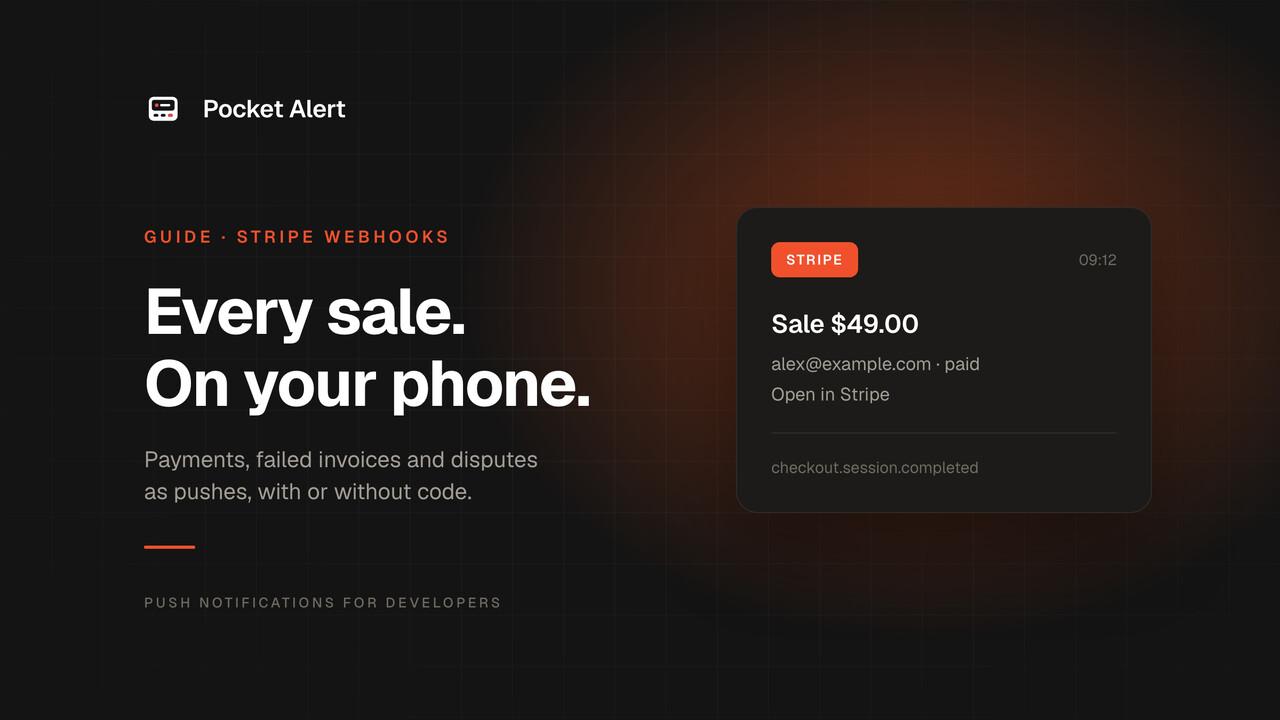
A sale lands like this:
Webhook Stripe sale
4900 usd from [email protected] (paid)
[Open in Stripe]
What the template can't do
Be clear about the limits before you rely on it:
- Amounts are in minor units. Stripe sends
4900for $49.00 and5000for ¥5,000, because the yen has no cents. The template copies values as they are and can't divide by 100. You learn to read4900 usdquickly, but if you want$49.00, use Level 2. - No signature check. Stripe signs each request with a
Stripe-Signatureheader. Pocket Alert doesn't verify third-party signatures; the random slug in the URL is the only secret. Anyone who learns it can send you fake "sales". For a notification that's an annoyance, not a breach, since nothing gets fulfilled. Keep the URL private anyway, and use Level 2 if you need proof that a push came from Stripe. - No conditions. A template can't say "only push sales over $500" or "skip test mode". Filtering happens in Stripe through the events you pick, or in code.
- Dashboard buttons point to live mode. Test objects live under
dashboard.stripe.com/test/..., so for a test-mode event the button opens a page that doesn't exist. Disputes from the legacy Charges API have nopayment_intent, which leaves that button with an empty link. - Subscriptions show the first price only.
items.data.0is the first line item. The event carries a customer ID, not an email. - Every event counts toward your daily quota. The Free plan has 50 messages a day. Past that, Pocket Alert answers
429, and Stripe treats it as a failed delivery and, in live mode, retries for up to three days.
Level 2: a small verified handler
When you want real currency formatting, signature checks and one endpoint for all events, put about sixty lines of Node between Stripe and Pocket Alert. It uses Stripe's official library to verify the signature and POST /v1/messages to send the push.
npm install express stripe
// server.mjs
import express from 'express';
import Stripe from 'stripe';

const stripe = new Stripe(process.env.STRIPE_SECRET_KEY);
const app = express();

function money(minor, currency) {
  const fmt = new Intl.NumberFormat('en-US', { style: 'currency', currency: currency.toUpperCase() });
  return fmt.format(minor / 10 ** fmt.resolvedOptions().maximumFractionDigits);
}

function toPush(event) {
  const o = event.data.object;
  switch (event.type) {
    case 'checkout.session.completed':
      return { title: `Sale ${money(o.amount_total, o.currency)}`, level: 'default',
        message: `${o.customer_details?.email ?? 'no email'} · ${o.payment_status}`,
        path: o.payment_intent ? `payments/${o.payment_intent}` : `customers/${o.customer}` };
    case 'invoice.payment_failed':
      return { title: `Payment failed ${money(o.amount_due, o.currency)}`, level: 'high',
        message: `${o.customer_email ?? o.customer} · attempt ${o.attempt_count}`,
        path: `invoices/${o.id}` };
    case 'charge.dispute.created':
      return { title: `Dispute ${money(o.amount, o.currency)}`, level: 'critical',
        message: `Reason: ${o.reason}. Evidence due ${new Date(o.evidence_details.due_by * 1000).toDateString()}`,
        path: `payments/${o.payment_intent ?? o.charge}` };
    case 'customer.subscription.created': {
      const price = o.items.data[0]?.price;
      return { title: 'New subscription', level: 'low',
        message: price?.unit_amount != null
          ? `${money(price.unit_amount, price.currency)} per ${price.recurring?.interval} · ${o.status}`
          : o.status,
        path: `subscriptions/${o.id}` };
    }
  }
  return null;
}

app.post('/stripe-webhook', express.raw({ type: 'application/json' }), async (req, res) => {
  let event;
  try {
    event = stripe.webhooks.constructEvent(req.body, req.headers['stripe-signature'], process.env.STRIPE_WEBHOOK_SECRET);
  } catch (err) {
    return res.status(400).send(`Bad signature: ${err.message}`);
  }
  res.sendStatus(200);

  const push = toPush(event);
  if (!push) return;
  const dashboard = event.livemode ? 'https://dashboard.stripe.com/' : 'https://dashboard.stripe.com/test/';

  await fetch('https://api.pocketalert.app/v1/messages', {
    method: 'POST',
    headers: { Token: process.env.POCKETALERT_KEY, 'Content-Type': 'application/json' },
    body: JSON.stringify({
      title: push.title,
      message: push.message,
      level: push.level,
      actions: [{ type: 'view', label: 'Open in Stripe', value: dashboard + push.path }],
    }),
  }).catch((err) => console.error('Pocket Alert:', err.message));
});

app.listen(process.env.PORT ?? 4242);
STRIPE_SECRET_KEY=sk_live_... STRIPE_WEBHOOK_SECRET=whsec_... POCKETALERT_KEY=... node server.mjs
The details that matter:
express.rawkeeps the body as bytes.constructEventneeds the request exactly as Stripe sent it, and a JSON body parser breaks the signature. It also rejects events older than five minutes, which stops replays.- The handler answers
200before it calls Pocket Alert, because Stripe wants a quick2xx. A restricted key with read access is enough forSTRIPE_SECRET_KEY; this code never calls the Stripe API. Intl.NumberFormatknows how many decimals each currency has, so4900 usdbecomes$49.00and5000 jpybecomes¥5,000.- The
livemodeflag picks the right Dashboard path, so test-mode events open test-mode pages.
In Stripe, create one event destination with Snapshot payload, all four events and your server's URL, then copy its whsec_ signing secret from the destination page. To test locally, stripe listen --forward-to localhost:4242/stripe-webhook prints a secret to use, and stripe trigger invoice.payment_failed sends a signed test event.
The result on your phone is a push titled "Sale $49.00" with "[email protected] · paid" underneath, and a dispute that wakes you up with the deadline in the body.
Want the sale and the signup in one feed? Send your sign-up form to the same app with signup alerts and the two read like a funnel.
If nothing arrives
- Look at Stripe first. Open the destination in Workbench and check the Event deliveries tab. A
400with "Invalid JSON" means something other than Stripe JSON reached the URL. A429means you hit the daily limit. - Then the Pocket Alert webhook history. If the request is there and the message is blank in places, a template path doesn't exist in that event. Copy the body from the history and check the field names.
- Thin payload by mistake. If the push shows empty amounts and the history body has
related_objectinstead ofdata, the destination was created as Thin. Create a new one with Snapshot. - Signature errors in Level 2. Each destination has its own
whsec_secret, and a sandbox secret differs from the live one. Also make sure nothing upstream, such as a proxy or framework middleware, re-encodes the body.
FAQ
Does this replace the Stripe Dashboard app?
No, and it doesn't need to. The Stripe app is the place to refund, look up a customer or check your balance. Pocket Alert gives you the alert itself: your wording, your priority levels and buttons, in a feed shared with the rest of your alerts from servers, CI and forms.
Which events are worth a push?
Start with the four above. invoice.paid is a good extra for SaaS renewals, and customer.subscription.deleted tells you about churn. Stripe advises subscribing only to the events you use, and that keeps your phone quiet too.
Can I get one push per day instead of one per sale?
Not from the webhook. Lower the sale webhook's level to silent so sales collect in the feed without a sound, and keep high and critical for the events that need you.
Is it free?
Stripe webhooks cost nothing. Pocket Alert's Free plan covers 50 messages a day on one device, which is plenty for a small store. Critical alerts that override Do Not Disturb are on paid plans.
Create a free account, paste one URL into Stripe, and the next sale lands on your phone.