Klipper push notifications: print alerts on your phone
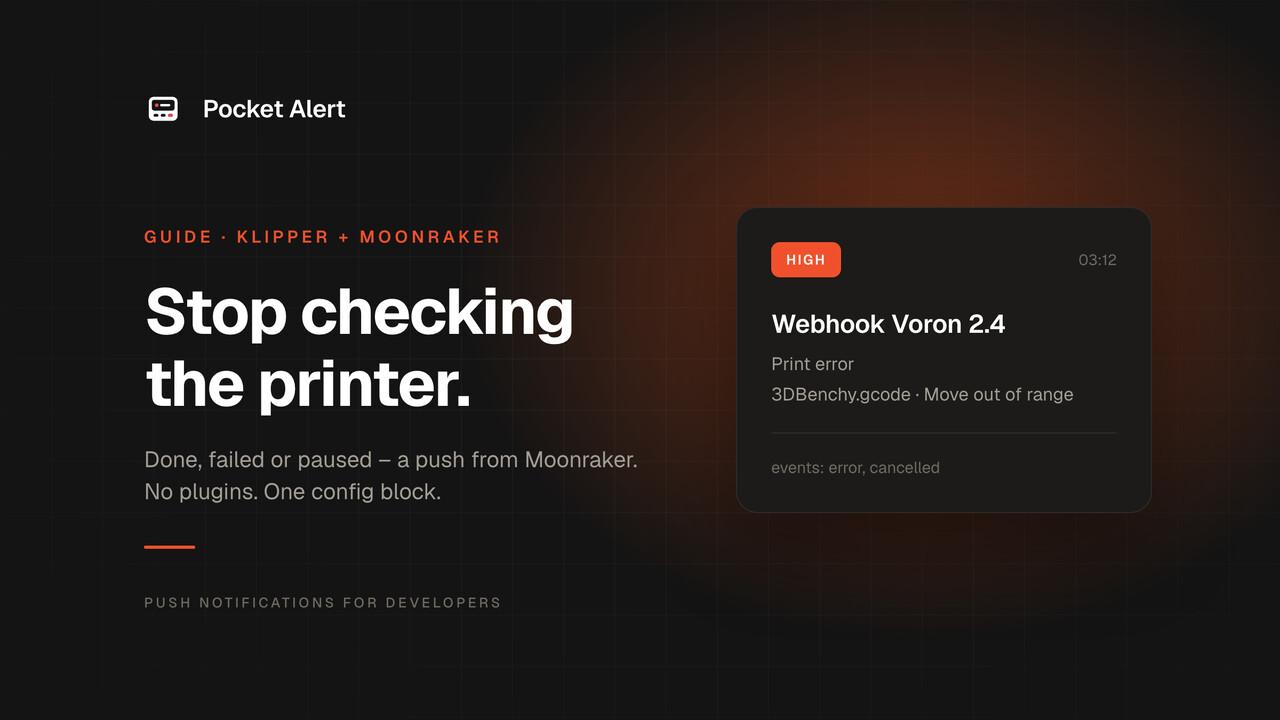
A twelve-hour print does not need you standing next to it. It needs you to know the moment it finishes – and, more importantly, the moment it stops.
Klipper can already tell you both. Moonraker, the API server behind Mainsail and Fluidd, has a built-in notifier that fires on print events and sends them through Apprise. Point it at a Pocket Alert webhook and every finished, failed, cancelled or paused print arrives on your phone as a push notification. No plugin, no extra service on the Pi, one block of config.
What you need
- A printer running Klipper with Moonraker. If you open Mainsail or Fluidd in a browser, you have Moonraker.
- A free Pocket Alert account and the app on your iPhone or Android phone.
- About five minutes.
Step 1. Create a webhook in Pocket Alert
Open Webhooks in the dashboard and create a new one:
- Name – the printer, for example
Voron 2.4. The name becomes the push title (Webhook Voron 2.4), so with more than one printer you see at a glance which one needs you. - Application and Device – where the notification goes.
- Message – paste this template:
%title%
%message%
Save and copy the webhook URL. It looks like https://p4a.me/wh/<your-webhook-id>.
Why this template: Moonraker hands each notification to Apprise, and Apprise's JSON notifier posts a small payload like this one:
{
  "version": "1.0",
  "title": "❌ Print error",
  "message": "3DBenchy.gcode Move out of range: 235.000 0.000 0.200 [0.000]",
  "attachments": [],
  "type": "info",
  "level": "high"
}
Every %key% in the template is replaced with that field from the JSON. The push shows the title on the first line and the message under it. More on template paths in Create your first webhook URL.
Step 2. Add the notifiers to moonraker.conf
Open moonraker.conf – under Machine in Mainsail, under Configuration in Fluidd – and add these three sections at the end. Replace YOUR_WEBHOOK_ID with the id from your webhook URL.
[notifier pocketalert_done]
url: jsons://p4a.me/wh/YOUR_WEBHOOK_ID
events: complete
title: ✅ Print complete
body: {event_args[1].filename}

[notifier pocketalert_fail]
url: jsons://p4a.me/wh/YOUR_WEBHOOK_ID?:level=high
events: error, cancelled
title: ❌ Print {event_name}
body: {event_args[1].filename} {event_args[1].message}

[notifier pocketalert_pause]
url: jsons://p4a.me/wh/YOUR_WEBHOOK_ID?:level=high
events: paused
title: ⏸ Print paused
body: {event_args[1].filename}: check the printer
What each part does:
jsons://is Apprise's JSON notifier over HTTPS. It posts the payload above to your webhook.eventspicks the print states that trigger a section. Moonraker knowsstarted,complete,error,cancelled,pausedandresumed.?:level=hightells Apprise to add"level": "high"to the JSON. Pocket Alert reads that field and sends the push at high priority, which on iPhone arrives as a time-sensitive notification and gets through Focus modes. The "complete" section has no level, so it comes in as a normal push.{event_args[1]}is the job state after the event. It mirrors Klipper'sprint_statsobject:filenameis the G-code file,messageis Klipper's error text when a print fails.{event_name}is the event that fired, so one section covers botherrorandcancelledand the title still says which one happened.
Step 3. Restart Moonraker and test
Restart Moonraker from the power menu in Mainsail or Fluidd, or over SSH:
sudo systemctl restart moonraker
Before you spend filament on a test, check the webhook with curl. This sends the same JSON shape Apprise does:
curl -X POST https://p4a.me/wh/YOUR_WEBHOOK_ID \
  -H 'Content-Type: application/json' \
  -d '{"title":"❌ Print error","message":"test.gcode Move out of range","level":"high"}'
If your phone buzzes, the Pocket Alert side works. Now start a small print and cancel it after the first layer – you should get ❌ Print cancelled within seconds.
What lands on your phone
A failed print at night looks like this on the lock screen:
Webhook Voron 2.4
❌ Print error
3DBenchy.gcode Move out of range: 235.000 0.000 0.200 [0.000]
You know which printer, which file and why it stopped before you unlock the phone.
Make it yours
Everything below is a small edit to the same file.
- Log print starts quietly. Add a section with
events: startedand?:level=silent. The start is recorded in your message history without a sound. - Get woken up by failures. Change
?:level=highto?:level=criticalon the failure section. On Android a critical alert breaks through Do Not Disturb. Critical delivery is a paid feature; on the Free plan the message still arrives at high priority. Details in critical alerts. - Several printers. One webhook per printer, each named after the machine. The push title tells you which one stopped.
- Alerts from your own macros. Moonraker also has a
gcodeevent, so a Klipper macro can send any text you like. Useful for a filament change or a runout sensor.
In moonraker.conf:
[notifier pocketalert_macro]
url: jsons://p4a.me/wh/YOUR_WEBHOOK_ID?:level=high
events: gcode
title: 🧵 Printer needs you
body: {event_message}
In printer.cfg:
[gcode_macro NOTIFY_FILAMENT_CHANGE]
gcode:
  {action_call_remote_method("notify",
                             name="pocketalert_macro",
                             message="Filament change needed")}
Call NOTIFY_FILAMENT_CHANGE from your M600 macro or from a filament sensor's runout_gcode.
If nothing arrives
- Open the webhook in the dashboard. Webhook history records every call with its raw payload. No entry means Moonraker never reached Pocket Alert. An entry with an error tells you the reason.
- Read
moonraker.log. Moonraker writes notifier errors there, along with the installed Apprise version. On most installs it is~/printer_data/logs/moonraker.log. - Empty lines in the push. The template keys must match the Apprise payload:
%title%and%message%, not%body%.
Why not a plugin?
Telegram bots and remote-access services for Klipper do more: camera snapshots, timelapses, remote control. They also add another service on the Pi to install and keep updated. If what you want is "tell me when it's done, wake me if it fails", Moonraker already does the sending – Pocket Alert only has to receive it.
And if the printer lives next to a homelab, its alerts end up in the same app as your server, backup and cron alerts, with one history and the same priority levels.
FAQ
Do I need to install anything on the Raspberry Pi?
No. The notifier is part of Moonraker and Apprise is installed with it as a dependency. You only edit moonraker.conf and restart Moonraker.
Does this work with Mainsail and Fluidd?
Yes. Both are web interfaces for Moonraker, and the notifier lives in Moonraker, so the setup is identical. You can edit moonraker.conf from either one.
Can I get notifications from several printers?
Yes. Create one webhook per printer and name it after the machine. The webhook name becomes the push title.
Will a failed print wake me up at night?
With level=high the push arrives as time-sensitive on iPhone and gets through Focus. To break through Do Not Disturb on Android, use level=critical on a paid plan.
Is it free?
Yes. Webhooks work on the Free plan, and each event uses one message from your daily allowance – a typical print sends one or two.
Create a webhook, paste the config, and your next print will tell you when it's done.