Home Assistant push notifications with rest_command: leak, washer, door
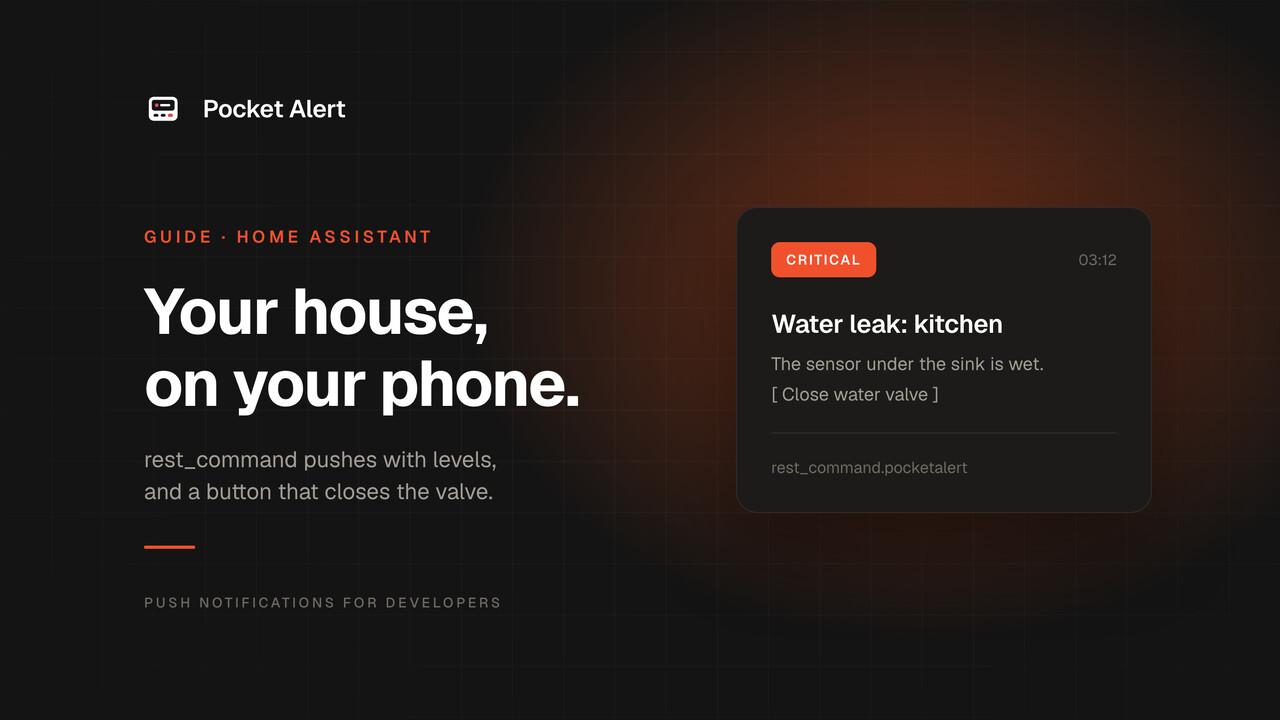
The Home Assistant Companion app handles notifications well for the people who run Home Assistant. It gets awkward when the person who should hear about a leak in the basement is your partner who never installed it, a parent, or the neighbor with your spare key. Giving them a Home Assistant account just so they get one push is more access than they need.
There is also the noise problem. "Washing machine finished" and "water on the bathroom floor" should not sound the same, and if your server alerts already go through another app, you end up with two feeds to check.
This guide uses Home Assistant's rest_command to send pushes through Pocket Alert. It needs no add-on or custom integration, and it covers three automations: a water leak at critical level, a finished washer at low level, and a door opened while nobody is home.
What you need
- Home Assistant with access to
configuration.yaml(File editor or Studio Code Server add-on, or SSH). - A Pocket Alert account, an API key from API Keys, and the app on the phone that should get the alerts, iPhone or Android. The Free plan covers 50 messages a day on one device.
The rest_command
Put the key in secrets.yaml, in the same folder as configuration.yaml:
pocketalert_token: "YOUR_API_KEY"
Then add one command to configuration.yaml:
rest_command:
  pocketalert:
    url: https://api.pocketalert.app/v1/messages
    method: post
    content_type: application/json
    timeout: 10
    headers:
      Token: !secret pocketalert_token
    payload: >-
      {% set body = {"title": title, "message": message,
                     "level": level | default("default")} %}
      {% if button_url is defined %}
        {% set req = {"url": button_url, "method": "POST"} | to_json %}
        {% set body = dict(body, actions=[{"type": "http",
              "label": button_label | default("Run"), "value": req}]) %}
      {% endif %}
      {{ body | to_json }}
Restart Home Assistant. You now have an action called rest_command.pocketalert, and whatever you pass in its data becomes a template variable: title, message, an optional level and an optional button.
Why build the JSON with to_json instead of writing it by hand? A sensor name with a quote in it would break a hand-written string, and to_json escapes it for you. The Pocket Alert API only accepts JSON, which is also why content_type is set: without it the request goes out without a JSON content type.
Test it from Developer tools → Actions: pick rest_command.pocketalert, switch to YAML mode and run:
action: rest_command.pocketalert
data:
  title: "Hello from Home Assistant"
  message: "rest_command works"
The push should arrive within a second or two.
Three automations
Add these in the automation editor (Edit in YAML) or in automations.yaml. Replace the entity IDs with yours.
Water leak: critical
alias: "Leak under the sink"
triggers:
  - trigger: state
    entity_id: binary_sensor.kitchen_leak
    to: "on"
actions:
  - action: rest_command.pocketalert
    data:
      title: "Water leak: kitchen"
      message: "The sensor under the sink is wet. Check it now."
      level: critical
critical is the level for things that cannot wait until morning. On iPhone it plays at its own volume through the silent switch and Do Not Disturb; on Android it uses a separate channel that bypasses Do Not Disturb and takes over the screen. Critical is part of paid plans; on the Free plan the same message arrives as high, which still gets through Focus but not through the silent switch.
Washer done: low
There is no "washer finished" sensor, but a smart plug with power monitoring tells you: when the draw stays under a few watts for a few minutes, the cycle is over.
alias: "Washer finished"
triggers:
  - trigger: numeric_state
    entity_id: sensor.washer_plug_power
    below: 5
    for: "00:03:00"
actions:
  - action: rest_command.pocketalert
    data:
      title: "Washer finished"
      message: "Laundry is ready to hang."
      level: low
low arrives quietly, with no sound and no interruption. It is in the list when you look at your phone, which is exactly how urgent wet laundry is. Tune below and for to your machine: some washers pause for a minute or two mid-cycle.
Door opened while nobody is home: high
The state of zone.home is the number of people in it, so "0" means everyone is out.
alias: "Front door opened while away"
triggers:
  - trigger: state
    entity_id: binary_sensor.front_door
    to: "on"
conditions:
  - condition: state
    entity_id: zone.home
    state: "0"
actions:
  - action: rest_command.pocketalert
    data:
      title: "Front door opened"
      message: "Opened at {{ now().strftime('%H:%M') }} and nobody is home."
      level: high
high is marked time-sensitive on iPhone, so it gets through Focus and the scheduled summary. The message line is a template: values in data are rendered before they reach the command.
A button that closes the water valve
A leak alert is more useful when you can act on it. Pocket Alert notifications can carry up to three action buttons, and an http button sends a request from the phone itself. Pocket Alert does not proxy it. That means the button can call a Home Assistant webhook that is not open to the internet, as long as the phone can reach it.
First, an automation that closes the valve when its webhook is called:
alias: "Close main water valve (from push)"
triggers:
  - trigger: webhook
    webhook_id: "close-valve-9f2c41d7a3b8e605"
    allowed_methods:
      - POST
    local_only: true
actions:
  - action: valve.close_valve
    target:
      entity_id: valve.main_water
If your valve shows up as a switch, use switch.turn_off instead. Make the webhook ID long and random: Home Assistant webhooks have no authentication other than knowing the ID.
Then add the button to the leak automation:
actions:
  - action: rest_command.pocketalert
    data:
      title: "Water leak: kitchen"
      message: "The sensor under the sink is wet."
      level: critical
      button_label: "Close water valve"
      button_url: "https://ha.example.com/api/webhook/close-valve-9f2c41d7a3b8e605"
The rest_command above turns button_url into an http action with method POST. Tap the button and the phone sends the request in the background without opening the app.
Which URL to use:
- At home only: the address your phone reaches Home Assistant at on your Wi-Fi.
local_only: truekeeps the webhook closed to the internet. Prefer anhttps://address if you have one on your network. - From anywhere: a leak usually happens when you are out. Home Assistant's docs note that webhooks with
local_onlystill work through Home Assistant Cloud (Nabu Casa) webhooks, so that cloud URL is the easiest option. A VPN on the phone, such as Tailscale or WireGuard, also works with the LAN address.
Home Assistant's own advice is not to put destructive or unsafe actions behind a webhook, such as unlocking a door. Closing a water valve is the safe direction; opening one is not, so keep that off your phone buttons. A second tap sends a second request, which is harmless here because closing a closed valve does nothing.
Two things to know about buttons. They are a paid-plan feature and are removed from messages on the Free plan; the alert itself still arrives. And both iOS and Android show your own label, right on the notification, even when the Pocket Alert app is closed (version 2.0.1 or later). The buttons are also stored with the message in the app, so you can still tap them after the banner is gone.
Alerts for people without Home Assistant
The person who gets the push only needs the Pocket Alert app. Two ways to set it up:
- Their own account. They sign up for free, create an API key and send it to you. Add a second command,
pocketalert_family, with their key insecrets.yaml, and call both commands in the leak automation. Your server alerts stay on your account; they only see what you send them. - A second device on your account. Paid plans include several devices. Add their phone, then make a copy of the command with
"device_id": "THEIR_DEVICE_ID"added to thebodydict, so only the household alerts go to it.
Either way, they get the leak alert with the same level and button without an account on your Home Assistant.
One app for the house and everything else
The same API key works for cron jobs, backups, uptime checks and CI. If you run a homelab, the Proxmox, NAS and backup alerts land in the same feed as the leak sensor, each with its own level, and the app can filter the feed by level, so the two that mattered are easy to find among forty. For other sensors (ESP32 boards, a Raspberry Pi, Node-RED), see IoT and sensor alerts.
For devices that can only send a JSON webhook, there is a no-code option: create a webhook in the console and template the message from the payload. See Webhook to push.
RESTful Notifications as a notify action
If you prefer notify.* actions, Home Assistant's RESTful Notifications platform can send to Pocket Alert as well:
notify:
  - name: pocketalert
    platform: rest
    resource: https://api.pocketalert.app/v1/messages
    method: POST_JSON
    title_param_name: title
    headers:
      Token: !secret pocketalert_token
    data:
      level: high
POST_JSON sends a JSON body, title_param_name maps the notification title to our title field, and data adds fixed fields. Call it with action: notify.pocketalert and title plus message. The level is fixed per notifier, so create one per level if you need several, or stick with rest_command, which also handles buttons.
If nothing arrives
- Check the log.
rest_commandlogs a warning with the status code when the request fails.401means the key insecrets.yamlis wrong;400usually means the payload is not valid JSON. - Restart the first time. The first
rest_commandblock needs a Home Assistant restart before the action appears; later edits load with therest_command.reloadaction. - Run the action by hand from Developer tools. If that works, the problem is the automation's trigger or condition; check its trace.
- Button does nothing: open the webhook URL's host from the phone's browser. If the phone cannot reach Home Assistant at that address, neither can the button.
- Look at today's quota. The Free plan stops at 50 messages a day, and a chatty sensor can use that up. A
for:on the trigger helps.
FAQ
Do I need the Home Assistant Companion app?
No. The push comes from Pocket Alert, so the phone only needs the Pocket Alert app. You can still keep the Companion app for its sensors and location tracking.
Does this work with Home Assistant Cloud?
Yes. rest_command calls the Pocket Alert API directly from your Home Assistant, so it does not depend on Nabu Casa. Home Assistant Cloud only helps with the valve button when you are away from home.
Can the leak alert wake me up at night?
At critical, yes: it sounds through the silent switch on iPhone and through Do Not Disturb on Android. That level needs a paid plan; on the Free plan it arrives as high.
Is my API key exposed?
It lives in secrets.yaml and goes out in the Token header over HTTPS. Use a separate key for Home Assistant so you can revoke it without touching your other scripts.
Create a free account, add one rest_command, and let the house tell you when it needs you.